Quote, Order, Follow: How an Asynchronous Verification Job Works
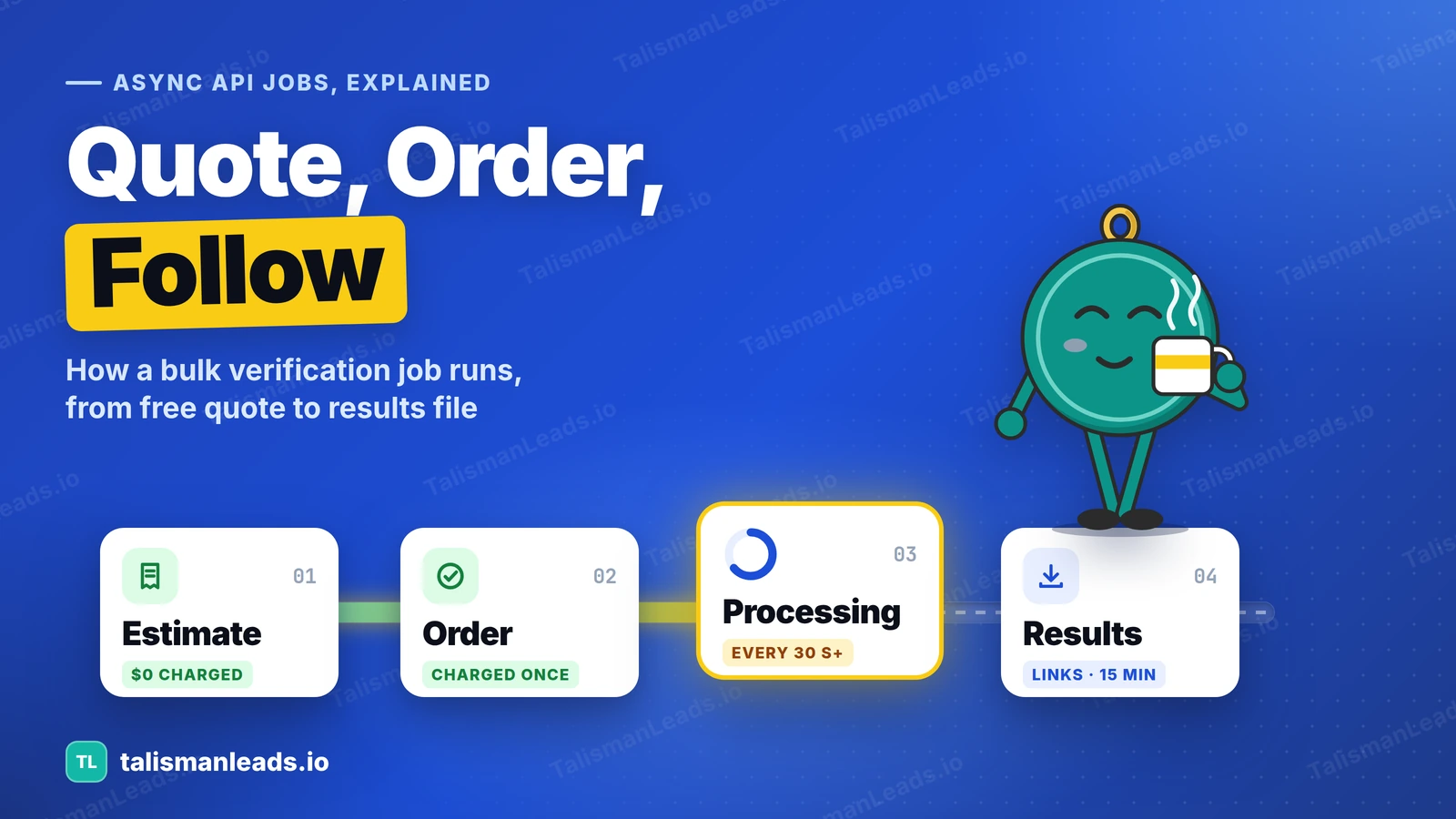
A bulk verification API runs each list as an asynchronous job, because checking thousands of phone numbers or emails takes minutes, and an HTTP request should not stay open that long. You ask for a free quote, place the order once, follow its status until it is final, and then download the results through short-lived links. Here is each step on the TalismanLeads API, every order status and what to do in it, and a polite polling loop in Python and Node.js.
If you are still deciding between the API and a file upload on the website, start with Phone and Email Verification APIs: When to Use One Instead of a File Upload.
Why a list check is a job, not one request#
A request holds a connection open until the answer comes back, and every proxy and gateway on the way gives up after a while. Checking a list is slow: each entry goes to a carrier database, a messaging platform or a mail server, and an order takes as long as its size and checker need. Tie that work to one request and a dropped connection loses the answer, and you would not know whether you had paid.
So the API splits the job in two. Placing the order is a request you get an answer to: the list is read, priced and charged, and you receive an order id. The checking then runs in the background. Your program can crash or redeploy mid-order and lose nothing, as long as it kept the id.
On TalismanLeads, a large list is split into parts of up to 1,000,000 entries, and each part runs on its own. You still see one order, with one status, one charge and one refund total, worked out from its parts.
Quote, order, follow, fetch#
The examples re-check a CRM's 48,250 customer phone numbers with the Number Carrier Lookup (global_carrier_checker, $1.20 per 10,000 numbers). Every call goes to https://api.talismanleads.io/v1 with your key in the Authorization header, read from an environment variable (see API Key Security: Creating, Storing and Rotating Your Keys).
1. Quote: POST /v1/estimates#
curl -X POST "https://api.talismanleads.io/v1/estimates" \
  -H "Authorization: Bearer $TALISMANLEADS_API_KEY" \
  -H "Content-Type: application/json" \
  -d '{"checker":"global_carrier_checker","entries":["+14155550142","+12125550187"]}'
The estimate counts and prices the list and reports any problem in it, such as a line the checker does not take. It charges nothing. An example answer for the full list:
{
  "checker": "global_carrier_checker",
  "entries": 48250,
  "billed_entries": 48250,
  "charge": "5.79",
  "trial_amount": "0.00",
  "currency": "USD",
  "parts": 1,
  "country": { "code": "US", "share": 1 }
}
Money is always a string in US dollars. billed_entries can exceed entries, as every file is billed as at least 2,000 entries, and trial_amount is what business trial credit would pay.
2. Order: POST /v1/orders#
The order takes the same body plus an Idempotency-Key header, a unique string you make up and store with your record. With expected_charge set to the estimate's charge, it is refused with price_changed if it would cost anything else.
curl -X POST "https://api.talismanleads.io/v1/orders" \
  -H "Authorization: Bearer $TALISMANLEADS_API_KEY" \
  -H "Idempotency-Key: crm-recheck-2026-11-24" \
  -H "Content-Type: application/json" \
  -d '{"checker":"global_carrier_checker","entries":["+14155550142","+12125550187"],"expected_charge":"0.24"}'
A new order answers 201 with the order, queued. Save its id first. If the answer is lost, send the same request with the same key: you get the same order back, never a second charge (see Idempotency Keys: How to Retry an API Request Without Paying Twice).
One thing surprises people: the order request is not instant either. The API reads and prices the whole list before it charges, which can take up to five minutes for a large one, so give this call a timeout longer than that. A 30-second timeout only makes you send it again for nothing.
3. Follow: GET /v1/orders/{id}#
curl "https://api.talismanleads.io/v1/orders/ord_8f2c1e7a-3b4d-4c5e-9f60-1a2b3c4d5e6f" \
  -H "Authorization: Bearer $TALISMANLEADS_API_KEY"
An example answer while the order is still waiting:
{
  "id": "ord_8f2c1e7a-3b4d-4c5e-9f60-1a2b3c4d5e6f",
  "checker": "global_carrier_checker",
  "status": "queued",
  "entries": 48250,
  "charge": "5.79",
  "trial_amount": "0.00",
  "refunded": "0.00",
  "currency": "USD",
  "parts": { "total": 1, "completed": 0, "failed": 0 },
  "results": null,
  "error": null,
  "source": "api",
  "created_at": "2026-11-24T15:00:00.000Z",
  "completed_at": null
}
parts shows progress on a large order, results holds registered and not registered counts once a part finishes (where the checker reports them), and completed_at is set when the status is final.
4. Fetch: GET /v1/orders/{id}/results#
The results call gives one download link per part, each with an expires_at 15 minutes after you ask. Results are kept, so ask again whenever a link has run out. Never send your API key to a download link, which carries its own permission, and read the file's columns by name, as columns can be added.
A finished part has its link even while other parts are still running, so on a 3,000,000-entry order you can load the first million before the last part is done. What to do with the file then is in From Results File to CRM: Using Verification Results in Your Own Systems.
Inline entries or an upload?#
Up to 100,000 entries and 4 MB can go straight into the request as entries. A larger list, up to 10,000,000 entries or 200 MB, goes through an upload, because a request to the API is held to 4 MB: anything bigger is refused with 413 payload_too_large. So the file goes straight to storage, and the order only names it:
POST /v1/uploadswith the file'ssize_bytesand, optionally, afile_nameending in.txt. The answer is201with anupload_id(it startsupl_), anupload_url, the methodPUTand the header to send.- Send the file to
upload_urlwithPUTandContent-Type: text/plain, without your API key. The link lasts two hours. - Call
POST /v1/estimates, thenPOST /v1/orders, withupload_idin place ofentries.
An uploaded file waits 24 hours for an order, then is removed. You can have 20 files or 100 MB waiting and make 500 uploads a day; past that, too_many_uploads. A file is one entry per line, and phone numbers in one file should share a country.
Every order status, and what to do in each#
An order has one of five statuses. More may be added later, so a program must treat any status it does not know as still running.
queued: waiting to start. Keep polling.processing: running. Keep polling. On a large order,parts.completedrises as parts finish, and finished parts can already be downloaded.completed: every part is done. Fetch the results.refundedcan still be above "0.00": when the provider counted a part short, the difference comes back automatically, down to the part's minimum.partially_completed: finished, but some parts failed. Those are refunded in full, automatically (refundedshows the amount);parts.failedsays how many anderrorsays why. Download the finished parts, compare them with your list, and send the missing entries as a new order with a new key.failed: no part could be done, and the charge is refunded. Readerrorbefore you try again, with a newIdempotency-Key: the old one now names this failed order, and repeating it only returns that order.
Refunds go back to your balance, where paid credit never expires. Every refusal the API can give is explained in Verification API Errors: What Each Code Means and What to Do.
How to poll politely#
Polling means asking for the order until it is final. Each request is cheap, but thousands of programs asking every second are not, so the docs ask for at least 30 seconds between checks of an order. A polite loop:
- Starts at 30 seconds and never goes below it.
- Backs off while the order runs. Multiply the wait by 1.5 after each check, up to 5 minutes. A long order then costs about a dozen requests an hour, and you learn it finished at most one wait late, which costs nothing as results are kept.
- Adds jitter, a small random extra on each wait, so orders placed together do not poll in lockstep. Amazon's engineers explain why in Timeouts, retries, and backoff with jitter.
- Stops on a final status:
completed,partially_completedorfailed. Everything else means keep going. - Waits as told on 429. A
429carriesRetry-After, the seconds to wait (more in API Rate Limits and 429 Errors: Backing Off With Retry-After). A5xxor a gateway's HTML page means try again later; a GET is always safe to repeat. A404not_foundmeans a wrong id or another account's, and asking again will not help.
Two habits matter more than the exact numbers. Store the order id the moment you get it, so a restarted program resumes following the order instead of placing it again. And if an order runs longer than expected, alert a person; never place it a second time because it is slow.
Polling many orders? Status reads share one per-minute limit per account, across all your keys, and one GET /v1/orders?limit=100 returns up to 100 recent orders' statuses in a single read.
A complete polling loop#
Both follow one order until it is final, print its money fields and save each finished part. Run them with the order id you stored (python follow_order.py ord_...); they read the key from TALISMANLEADS_API_KEY.
Python#
It needs the requests package.
import os
import random
import sys
import time

import requests

API = os.environ.get("TALISMANLEADS_API_URL", "https://api.talismanleads.io/v1")
AUTH = {"Authorization": f"Bearer {os.environ['TALISMANLEADS_API_KEY']}"}
FINAL = {"completed", "partially_completed", "failed"}


def get(path):
    """GET from the API, waiting out rate limits and brief outages. Safe to repeat."""
    for attempt in range(8):
        try:
            r = requests.get(API + path, headers=AUTH, timeout=60)
        except requests.RequestException:
            r = None  # no answer at all
        if r is not None and r.ok:
            return r.json()
        if r is not None and r.status_code == 429:
            wait = r.headers.get("Retry-After", "")
            time.sleep(int(wait) if wait.isdigit() else 30)
        elif r is not None and r.status_code < 500:
            try:
                error = r.json()["error"]
            except (ValueError, KeyError):
                error = {}
            # A 404 not_found or a refused key: asking again will not help.
            raise RuntimeError(f"{r.status_code} {error.get('code')}: {error.get('message')}")
        else:
            time.sleep(min(30 * 2**attempt, 300))  # a 5xx or a gateway page
    raise RuntimeError(f"No answer from {path}; try again later")


def wait_for_order(order_id, first=30, ceiling=300):
    """Ask for the order until its status is final, waiting longer each time."""
    delay = first
    while True:
        order = get(f"/orders/{order_id}")
        parts = order["parts"]
        print(f"{order['status']}: {parts['completed']} done, {parts['failed']} failed, "
              f"of {parts['total']} parts")
        if order["status"] in FINAL:
            return order
        # Any other status, even one added later, means still running.
        time.sleep(delay + random.uniform(0, delay / 5))
        delay = min(delay * 1.5, ceiling)


def save_results(order_id):
    """Download each finished part. The links carry their own permission: no API key."""
    for part in get(f"/orders/{order_id}/results")["parts"]:
        if not part["url"]:
            print(f"Part {part['part']}: {part['status']}, no file")
            continue
        name = f"{order_id}-part{part['part']}-{part['file_name']}"
        with requests.get(part["url"], stream=True, timeout=300) as download:
            download.raise_for_status()
            with open(name, "wb") as out:
                for chunk in download.iter_content(1 << 20):
                    out.write(chunk)
        print("Saved", name)


if __name__ == "__main__":
    order = wait_for_order(sys.argv[1])
    print(f"Charged ${order['charge']}, refunded ${order['refunded']}")
    if order["error"]:
        print("Error:", order["error"])
    if order["parts"]["completed"]:
save_results(order["id"])Node.js#
The same loop for Node.js 18 or later, which has fetch built in. Save it as follow_order.mjs and run node follow_order.mjs ord_....
import { createWriteStream } from "node:fs";
import { Readable } from "node:stream";
import { pipeline } from "node:stream/promises";

const API = process.env.TALISMANLEADS_API_URL ?? "https://api.talismanleads.io/v1";
const AUTH = { Authorization: `Bearer ${process.env.TALISMANLEADS_API_KEY}` };
const FINAL = new Set(["completed", "partially_completed", "failed"]);
const sleep = (seconds) => new Promise((done) => setTimeout(done, seconds * 1000));

// GET from the API, waiting out rate limits and brief outages. Safe to repeat.
async function get(path) {
  for (let attempt = 0; attempt < 8; attempt++) {
    const r = await fetch(API + path, { headers: AUTH, signal: AbortSignal.timeout(60_000) }).catch(() => null);
    if (r?.ok) return r.json();
    if (r?.status === 429) {
      await sleep(Number(r.headers.get("Retry-After")) || 30);
    } else if (r && r.status < 500) {
      // A 404 not_found or a refused key: asking again will not help.
      const error = (await r.json().catch(() => null))?.error ?? {};
      throw new Error(`${r.status} ${error.code}: ${error.message}`);
    } else {
      await sleep(Math.min(30 * 2 ** attempt, 300)); // a 5xx, a gateway page or no answer
    }
  }
  throw new Error(`No answer from ${path}; try again later`);
}

// Ask for the order until its status is final, waiting longer each time.
async function waitForOrder(orderId, first = 30, ceiling = 300) {
  let delay = first;
  for (;;) {
    const order = await get(`/orders/${orderId}`);
    const { total, completed, failed } = order.parts;
    console.log(`${order.status}: ${completed} done, ${failed} failed, of ${total} parts`);
    if (FINAL.has(order.status)) return order;
    // Any other status, even one added later, means still running.
    await sleep(delay + Math.random() * (delay / 5));
    delay = Math.min(delay * 1.5, ceiling);
  }
}

// Download each finished part. The links carry their own permission: no API key.
async function saveResults(orderId) {
  const { parts } = await get(`/orders/${orderId}/results`);
  for (const part of parts) {
    if (!part.url) {
      console.log(`Part ${part.part}: ${part.status}, no file`);
      continue;
    }
    const name = `${orderId}-part${part.part}-${part.file_name}`;
    const download = await fetch(part.url, { signal: AbortSignal.timeout(300_000) });
    if (!download.ok) throw new Error(`Download of part ${part.part} answered ${download.status}`);
    await pipeline(Readable.fromWeb(download.body), createWriteStream(name));
    console.log("Saved", name);
  }
}

const order = await waitForOrder(process.argv[2]);
console.log(`Charged $${order.charge}, refunded $${order.refunded}`);
if (order.error) console.log("Error:", order.error);
if (order.parts.completed) await saveResults(order.id);
We ran both against a stand-in API that answered a gateway error page, a 429 with Retry-After, then queued, processing and partially_completed with one part failed. Each waited as told, stopped on the final status, saved the finished parts and reported the failed one, never sending the key to a download link.
Listing your orders with the cursor#
GET /v1/orders lists your orders, newest first, with the same fields as a single order. limit takes 1 to 100 (20 by default). Pass the answer's next_cursor back as cursor for the next page, and stop when it is null. Treat the cursor as opaque: one the API did not give you is refused with invalid_request.
Orders from the website and the Telegram bot are listed too; source tells them apart (api, website or bot). That makes the list the place to reconcile: find orders your program lost track of, or total a month's refunds. This loop, using get() from the script above, stops at the first order older than the month.
from datetime import datetime, timezone
from urllib.parse import quote


def orders_since(since):
    """Every order created at or after `since` (a datetime), newest first."""
    cursor = None
    while True:
        page = get("/orders?limit=100" + (f"&cursor={quote(cursor)}" if cursor else ""))
        for order in page["orders"]:
            created = datetime.fromisoformat(order["created_at"].replace("Z", "+00:00"))
            if created < since:
                return  # newest first: everything after this is older
            yield order
        cursor = page["next_cursor"]
        if not cursor:
            return


month_start = datetime(2026, 11, 1, tzinfo=timezone.utc)
refunded = sum(float(o["refunded"]) for o in orders_since(month_start) if o["source"] == "api")
print(f"Refunded on API orders this month: ${refunded:.2f}")
Frequently asked questions#
Why does a verification API not return the results in the same request?#
Checking a list takes minutes, and a request open that long is cut by timeouts on the way. So the API answers with an order id once the list is priced and charged, and runs the checks in the background.
How often should I poll an API job's status?#
Every 30 seconds or more, growing the gap while the order runs (by half each time, up to 5 minutes) with a little jitter, and stopping on a final status.
What does partially_completed mean, and do I pay for the failed parts?#
Some parts of a large order finished and some failed. Failed parts are refunded in full, automatically, and refunded shows how much came back.
How long are the download links valid?#
15 minutes from when you ask. Results are kept, so ask again for fresh links at any time.
What happens if my program crashes while an order is running?#
Nothing is lost: the order keeps running. Restart and follow the id you stored, or find the order with GET /v1/orders. Do not place it again.
Every endpoint, field and status is in the API documentation. Create a key in your account and run a free estimate on your own list first.
Was this helpful?