From Results File to CRM: Using Verification Results in Your Own Systems
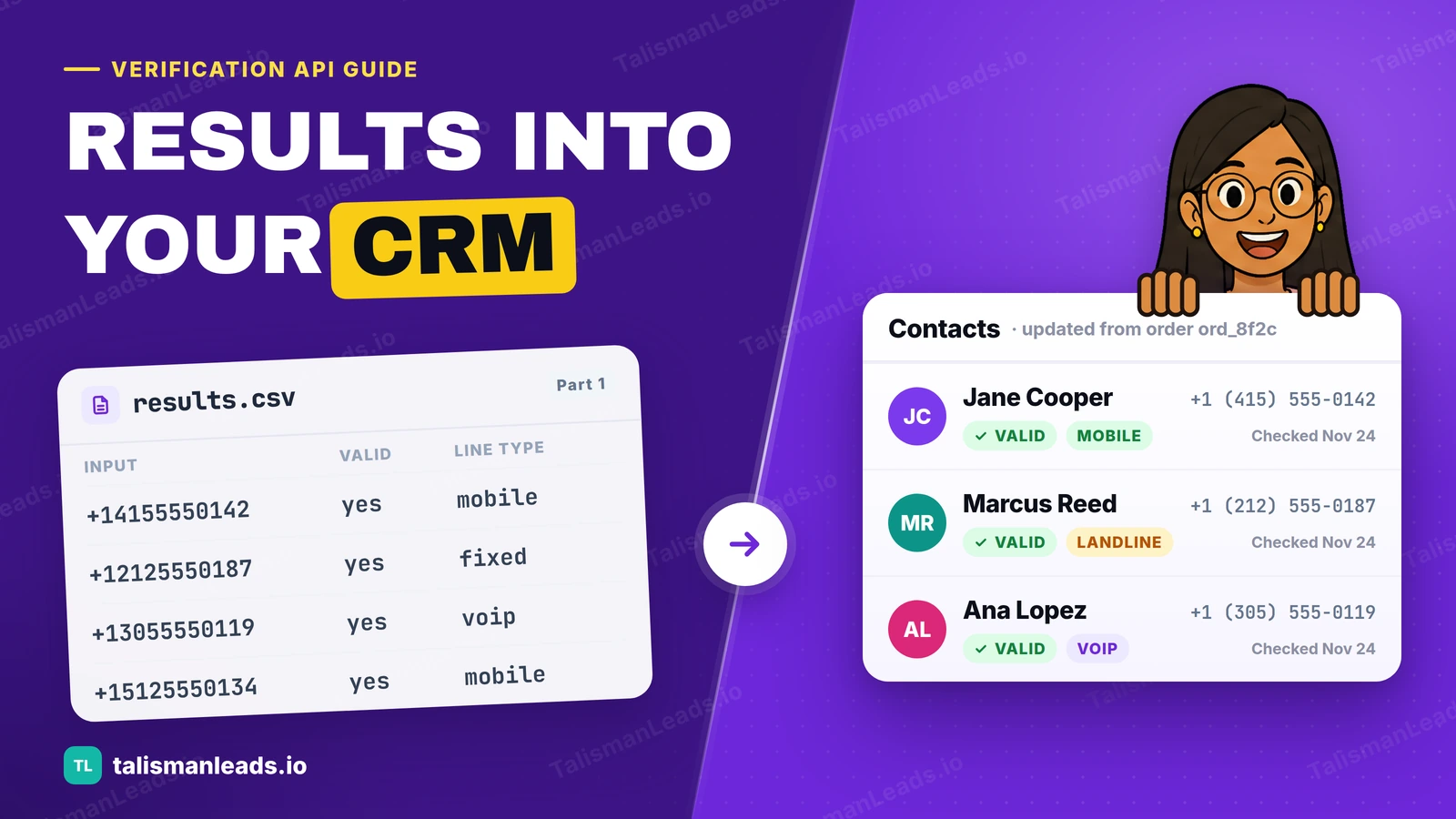
To update a CRM with verification results, download the result file for each part of the order while its link is valid, read the CSV by column name, match each row back to your own record by the exact value you sent, and write a status, a "checked on" date and any tags through a staging table. Write only what the check actually answered: a blank or a missing row must never replace a value you already had. This guide shows the real result files from the TalismanLeads API, with complete import scripts in Python and Node.js.
It starts from a finished order; placing one and following its status is in Quote, Order, Follow: How an Asynchronous Verification Job Works.
What GET /v1/orders/{id}/results returns#
When GET /v1/orders/{id} shows completed or partially_completed, ask for the results:
curl "https://api.talismanleads.io/v1/orders/ord_8f2c1e7a-3b4d-4c5e-9f60-1a2b3c4d5e6f/results" \
  -H "Authorization: Bearer $TALISMANLEADS_API_KEY"
The answer lists the order's parts (a large order is split into several), each with its own file:
part: the part's number, from 1.status:completed,processingorfailed.file_name: the file's name, such ascarrier_lookup_5101.csv.url: a signed download link, straight to storage.expires_at: when the link stops working, 15 minutes after you asked.
A part still running, or one that failed, has null in those three. A failed part's charge is refunded automatically; treat its entries as not checked and include them in your next order.
Three rules for the links:
- Never send your API key to a download link. It carries its own permission.
- Download right away, and ask again if you are late. A link lasts 15 minutes, but the file behind it does not expire: results stay in your account, so
GET /resultsgives you fresh links at any time. - Read columns by name, not by position. New columns can be added to a file.
The results call has a rate limit of its own. If it answers 429, wait as long as its Retry-After header says and ask again; API Rate Limits and 429 Errors shows how.
What is inside the file#
The file depends on the checker. Here are two common ones, by the ids GET /v1/checkers gives them:
Number Carrier Lookup (global_carrier_checker)#
One CSV per part, with these columns:
Input,Number,Valid,Country,Country name,Line type,Carrier,Location
+14155550142,+14155550142,yes,US,United States,mobile,T-Mobile,"San Francisco, CA"
The row above is an example. What each column holds:
Inputis the line exactly as you sent it, trimmed. This is your join key.Numberis the number in E.164, or empty when it is not a valid number.Validisyesorno. Anorow has onlyInputfilled in.Line typeis one ofmobile,fixed,fixedOrMobile,voip,tollFree,premiumorother.fixedOrMobilemeans the numbering plan cannot tell the two apart.CarrierandLocationcome from number-range data, so a number a customer took to another carrier may still show the first one.
A Valid of yes means the number can exist in its country's numbering plan, not that the line is switched on. Carrier Lookup vs HLR Lookup vs Number Validation explains the difference. The lookup costs $1.20 per 10,000 numbers.
Email Deliverability Checker (email_deliverability_checker)#
A zip per part, holding four files:
all.csv: every address with its answer, in the columnsemailandactivated(yesorno).activated.txtandunregistered.txt: the yes and the no addresses, one per line.result.xlsx: the same data as a spreadsheet.
Import from all.csv. It is the source of truth; the spreadsheet is built from it for people to open. The checker covers Gmail, Yahoo, Outlook, iCloud, Yandex and Mail.ru addresses. Others are left out and not charged, so a missing row means "not checked", never "invalid". It costs $9.00 per 10,000 emails. What yes and no mean for a mailbox is in How Email Verification Works.
The first column's heading changes from checker to checker: Input here, email there, number or Phone on others. Some files start with a byte-order mark. Lower-case the headings and strip that mark before you look a column up, and one importer reads them all.
Match each row back to your own record#
The API takes entries as plain strings, with no field for your record's id. So keep the link yourself, before you place the order:
- Normalise first. Convert every phone number to E.164 (
+14155550142) and every email to trimmed lower case. The API asks for E.164 anyway, and matching only works on one spelling. E.164 Format Explained covers the conversion. - Send each value once. Two contacts often share a number or an address, such as a household or a shared office line. Send it once and keep a map from the value to every record id that holds it. You pay for fewer entries, and both records get the answer.
- Save the map under the order's id, in a table or a file, so an import on another day, or after a crash, still knows what it sent.
import json
import re


def to_e164(raw):
    """A US number as E.164 (+1 and ten digits), or None if it will not convert."""
    digits = re.sub(r"\D", "", raw or "")
    if len(digits) == 10:
        digits = "1" + digits
    return "+" + digits if len(digits) == 11 and digits.startswith("1") else None


def entries_for(contacts):
    """One entry per distinct number, and which of your records each came from."""
    sent = {}
    for record_id, phone in contacts:
        e164 = to_e164(phone)
        if e164:
            sent.setdefault(e164, []).append(record_id)
    return sent


sent = entries_for([("C-1001", "(415) 555-0142"), ("C-1007", "415.555.0142"),
                    ("C-1002", "+1 212 555 0187")])
print(sent)  # {'+14155550142': ['C-1001', 'C-1007'], '+12125550187': ['C-1002']}
# Order with list(sent), then save the map beside the order's id:
# with open(f"sent-{order['id']}.json", "w") as f: json.dump(sent, f)
Then match result rows on that value, never on their position in the file. Rows do not always come back one for one: the email checker leaves out addresses it does not cover, and duplicates can be merged. A row whose value is not in your map is logged and skipped, never matched to the nearest record. A value with no row keeps whatever your CRM already had.
Map results to CRM fields#
Every CRM supports custom fields on a contact. A small, fixed set is easier to filter and report on than a copy of the whole file:
- phone_status:
validorinvalid, fromValid. - phone_line_type:
mobile,landline(fromfixed),mobile or landline,voip,toll-freeand so on, fromLine type. - phone_carrier: from
Carrier, if your team uses it. - email_status:
deliverableorundeliverable, fromactivated. - phone_checked_at and email_checked_at: when each was checked.
- Tags for the lists people build by hand: "landline" for numbers your SMS campaigns should skip, "email undeliverable" for addresses to take off the next send. Landline or Mobile? How to Check a US Number Before You Text explains why landlines and texting do not mix.
Use the order's completed_at from GET /v1/orders/{id} as the checked date, not the time your import runs. If an import is re-run a week later, the date still says when the check happened.
Never overwrite good data with an unknown#
The most common mistake in a results import is writing every row as it comes, so a blank cell turns a number confirmed last month into "unknown". The rule:
- A clear yes or no is written, with its date. A no is news too: an invalid number or an undeliverable address should replace an old "valid".
- Anything else is not an answer. A blank, an unexpected value, a missing row or a failed part leaves the field and its date as they were.
- Each field keeps its own date. A phone-only run does not touch the email fields or their checked date.
Load through a staging table, then one bulk update#
Do not update contacts row by row as you read the file. Write what the import decided into a staging table first (one row per record, field and value, with the order id and checked date), then:
- Compare the counts with the order.
GET /v1/orders/{id}givesentriesand, for a yes/no checker such as the email checker,results.registeredandresults.not_registered(the carrier lookup leaves those two empty). If your rows disagree by a wide margin, stop and look. - Apply it in one bulk update, through your CRM's import or bulk-update tool, or straight in SQL if the contacts live in your own database. This example is PostgreSQL; other databases have an equivalent:
-- staging holds the importer's output: order_id, record_id, field, value, checked_at
UPDATE contacts
SET phone_status = s.value, phone_checked_at = s.checked_at
FROM staging AS s
WHERE s.record_id = contacts.id
  AND s.field = 'phone_status'
  AND (contacts.phone_checked_at IS NULL OR contacts.phone_checked_at < s.checked_at);
The last condition means an older order imported late never overwrites a newer check. Run the same statement for each other field. Because the staging rows carry the order id, importing the same order twice changes nothing the second time.
The complete importer in Python#
Run it with the order id and the map you saved when you placed the order: python import_results.py ord_8f2c1e7a-… sent-ord_8f2c1e7a-….json. It needs the requests package and writes staging.csv, ready to load.
import csv
import io
import json
import os
import sys
import zipfile
from datetime import datetime, timedelta, timezone

import requests

API = os.environ.get("TALISMANLEADS_API_URL", "https://api.talismanleads.io/v1")
AUTH = {"Authorization": f"Bearer {os.environ['TALISMANLEADS_API_KEY']}"}
ENTRY_COLUMNS = ("input", "email", "number", "phone")  # the entry you sent, named by checker
LINE_TYPES = {"mobile": "mobile", "fixed": "landline", "fixedOrMobile": "mobile or landline",
              "voip": "voip", "tollFree": "toll-free", "premium": "premium", "other": "other"}


def fresh_parts(order_id):
    r = requests.get(f"{API}/orders/{order_id}/results", headers=AUTH, timeout=60)
    r.raise_for_status()
    return r.json()["parts"]


def result_rows(order_id):
    """Every row of a finished order's results, with lower-case column names."""
    parts = fresh_parts(order_id)
    for i in range(len(parts)):
        if not parts[i]["url"]:
            continue  # still running, or failed and refunded: no file
        expires = datetime.fromisoformat(parts[i]["expires_at"].replace("Z", "+00:00"))
        if expires - datetime.now(timezone.utc) < timedelta(minutes=2):
            parts = fresh_parts(order_id)  # links last 15 minutes: ask again for new ones
        # The link carries its own permission: never send your API key to it.
        file = requests.get(parts[i]["url"], timeout=300)
        file.raise_for_status()
        body = file.content
        if body[:2] == b"PK":  # a zip: all.csv holds every row
            with zipfile.ZipFile(io.BytesIO(body)) as z:
                name = next(n for n in z.namelist() if n.lower().endswith("all.csv"))
                body = z.read(name)
        text = body.decode("utf-8-sig")  # drops a byte-order mark if there is one
        for row in csv.DictReader(io.StringIO(text)):
            yield {k.strip().lower(): (v or "").strip() for k, v in row.items() if k}


def entry_of(row):
    return next((row[c].lower() for c in ENTRY_COLUMNS if row.get(c)), None)


def fields_for(checker, row):
    """CRM fields from one row. A field left out is unknown: keep what you have."""
    if checker == "global_carrier_checker":
        if row.get("valid") == "no":
            return {"phone_status": "invalid"}
        if row.get("valid") != "yes":
            return {}
        fields = {"phone_status": "valid"}
        if row.get("line type") in LINE_TYPES:
            fields["phone_line_type"] = LINE_TYPES[row["line type"]]
        if row.get("carrier"):
            fields["phone_carrier"] = row["carrier"]
        return fields
    if checker == "email_deliverability_checker":
        answer = row.get("activated", "").lower()
        if answer in ("yes", "no"):
            return {"email_status": "deliverable" if answer == "yes" else "undeliverable"}
        return {}
    raise ValueError(f"No field mapping for {checker}")


def stage(order_id, sent_path, out_path):
    with open(sent_path) as f:
        sent = json.load(f)  # {entry: [your record ids]}, saved when you placed the order
    sent = {entry.lower(): ids for entry, ids in sent.items()}
    order = requests.get(f"{API}/orders/{order_id}", headers=AUTH, timeout=60).json()
    if order["status"] not in ("completed", "partially_completed"):
        raise SystemExit(f"Order is {order['status']}: nothing to import yet")
    checked_at = order["completed_at"]
    staged, unmatched, answered = 0, 0, set()
    with open(out_path, "w", newline="") as out:
        writer = csv.writer(out)
        writer.writerow(["order_id", "record_id", "field", "value", "checked_at"])
        for row in result_rows(order_id):
            entry = entry_of(row)
            if entry not in sent:
                unmatched += 1
                continue
            fields = fields_for(order["checker"], row)
            if fields:
                answered.add(entry)
            for record_id in sent[entry]:
                for field, value in fields.items():
                    writer.writerow([order_id, record_id, field, value, checked_at])
                    staged += 1
    print(f"{staged} field values staged; {len(sent) - len(answered)} entries "
          f"without an answer (kept as they were); {unmatched} rows unmatched")


if __name__ == "__main__":
    stage(sys.argv[1], sys.argv[2], "staging.csv")
The complete importer in Node.js#
The same importer for Node.js 18 or later. Node has no zip reader built in, so it uses the small fflate package (npm install fflate). Save it as import_results.mjs.
import { readFile, writeFile } from "node:fs/promises";
import { strFromU8, unzipSync } from "fflate"; // npm install fflate

const API = process.env.TALISMANLEADS_API_URL ?? "https://api.talismanleads.io/v1";
const AUTH = { Authorization: `Bearer ${process.env.TALISMANLEADS_API_KEY}` };
const ENTRY_COLUMNS = ["input", "email", "number", "phone"]; // the entry you sent, named by checker
const LINE_TYPES = { mobile: "mobile", fixed: "landline", fixedOrMobile: "mobile or landline",
  voip: "voip", tollFree: "toll-free", premium: "premium", other: "other" };

async function getJson(path) {
  const r = await fetch(API + path, { headers: AUTH, signal: AbortSignal.timeout(60_000) });
  if (!r.ok) throw new Error(`${path}: HTTP ${r.status}`);
  return r.json();
}

// A small CSV reader: quoted cells may hold commas ("San Francisco, CA") and "" quotes.
function parseCsv(text) {
  const rows = [[]];
  let cell = "", quoted = false;
  for (let i = 0; i < text.length; i++) {
    const ch = text[i];
    if (quoted) {
      if (ch === '"' && text[i + 1] === '"') { cell += '"'; i++; }
      else if (ch === '"') quoted = false;
      else cell += ch;
    } else if (ch === '"') quoted = true;
    else if (ch === ",") { rows.at(-1).push(cell); cell = ""; }
    else if (ch === "\n") { rows.at(-1).push(cell.replace(/\r$/, "")); rows.push([]); cell = ""; }
    else cell += ch;
  }
  if (cell || rows.at(-1).length) rows.at(-1).push(cell.replace(/\r$/, ""));
  const [head, ...body] = rows.filter((row) => row.some((value) => value !== ""));
  const keys = head.map((name) => name.trim().toLowerCase());
  return body.map((row) => Object.fromEntries(keys.map((key, i) => [key, (row[i] ?? "").trim()])));
}

const freshParts = async (orderId) => (await getJson(`/orders/${orderId}/results`)).parts;

// Every row of a finished order's results, with lower-case column names.
async function resultRows(orderId) {
  const rows = [];
  let parts = await freshParts(orderId);
  for (let i = 0; i < parts.length; i++) {
    if (!parts[i].url) continue; // still running, or failed and refunded: no file
    if (Date.parse(parts[i].expires_at) - Date.now() < 120_000) {
      parts = await freshParts(orderId); // links last 15 minutes: ask again for new ones
    }
    // The link carries its own permission: never send your API key to it.
    const file = await fetch(parts[i].url, { signal: AbortSignal.timeout(300_000) });
    if (!file.ok) throw new Error(`Part ${parts[i].part}: HTTP ${file.status}`);
    let bytes = new Uint8Array(await file.arrayBuffer());
    if (bytes[0] === 0x50 && bytes[1] === 0x4b) { // "PK": a zip, and all.csv holds every row
      const files = unzipSync(bytes);
      bytes = files[Object.keys(files).find((name) => name.toLowerCase().endsWith("all.csv"))];
    }
    rows.push(...parseCsv(strFromU8(bytes).replace(/^\uFEFF/, ""))); // drop a byte-order mark
  }
  return rows;
}

const entryOf = (row) => ENTRY_COLUMNS.map((c) => row[c]).find(Boolean)?.toLowerCase() ?? null;

// CRM fields from one row. A field left out is unknown: keep what you have.
function fieldsFor(checker, row) {
  if (checker === "global_carrier_checker") {
    if (row.valid === "no") return { phone_status: "invalid" };
    if (row.valid !== "yes") return {};
    const fields = { phone_status: "valid" };
    if (LINE_TYPES[row["line type"]]) fields.phone_line_type = LINE_TYPES[row["line type"]];
    if (row.carrier) fields.phone_carrier = row.carrier;
    return fields;
  }
  if (checker === "email_deliverability_checker") {
    const answer = (row.activated ?? "").toLowerCase();
    return answer === "yes" ? { email_status: "deliverable" }
      : answer === "no" ? { email_status: "undeliverable" } : {};
  }
  throw new Error(`No field mapping for ${checker}`);
}

async function stage(orderId, sentPath, outPath) {
  // {entry: [your record ids]}, saved when you placed the order
  const saved = JSON.parse(await readFile(sentPath, "utf8"));
  const sent = new Map(Object.entries(saved).map(([entry, ids]) => [entry.toLowerCase(), ids]));
  const order = await getJson(`/orders/${orderId}`);
  if (!["completed", "partially_completed"].includes(order.status)) {
    throw new Error(`Order is ${order.status}: nothing to import yet`);
  }
  const lines = ["order_id,record_id,field,value,checked_at"];
  const quote = (v) => (/[",\r\n]/.test(v) ? `"${v.replace(/"/g, '""')}"` : v);
  const answered = new Set();
  let unmatched = 0;
  for (const row of await resultRows(orderId)) {
    const entry = entryOf(row);
    if (!sent.has(entry)) { unmatched++; continue; }
    const fields = fieldsFor(order.checker, row);
    if (Object.keys(fields).length) answered.add(entry);
    for (const recordId of sent.get(entry)) {
      for (const [field, value] of Object.entries(fields)) {
        lines.push([orderId, recordId, field, value, order.completed_at].map(String).map(quote).join(","));
      }
    }
  }
  await writeFile(outPath, lines.join("\n") + "\n");
  console.log(`${lines.length - 1} field values staged; ${sent.size - answered.size} entries ` +
    `without an answer (kept as they were); ${unmatched} rows unmatched`);
}

await stage(process.argv[2], process.argv[3], "staging.csv");
We tested both against a stand-in for the API (a carrier lookup with a failed part, an email zip whose all.csv starts with a byte-order mark). They staged the same rows, refreshed a link about to expire, matched one number to two records, and wrote nothing for a blank answer or a missing row.
When to check again#
The checked date is what tells you a result is getting old. Numbers are disconnected and given to new people, and mailboxes are closed, so a list checked once drifts out of date. Why Phone Lists Go Stale and Email List Decay explain how fast. Select the records whose checked date is older than your limit and send only those; Re-Checking a Customer List on a Schedule With the API shows how to run that on a timer.
Store only what you need#
Copy into your CRM the fields your team acts on: a status, a line type, a date, a tag. Keep a carrier name or location only if someone uses it. Raw result files hold every entry you sent: do not leave them in shared folders, and delete them after a successful import. You can fetch them again from your account at any time, and TalismanLeads deletes your data on request.
A verification result is a fact about a number or a mailbox, not permission to contact anyone. Keep consent records separately, and check only the customers and sign-ups who gave you their details.
Frequently asked questions#
How long do the download links last?#
15 minutes from the moment you call GET /v1/orders/{id}/results. The files themselves are kept, so ask again for fresh links whenever you need them.
Why does my results file have fewer rows than I sent?#
Because some entries were not checked. The Email Deliverability Checker leaves out addresses outside Gmail, Yahoo, Outlook, iCloud, Yandex and Mail.ru, and does not charge for them, and duplicates can be merged. Match on the value you sent, and leave records without a row as they were.
Can I import results into a CRM without writing code?#
Yes, for an occasional list. Download the file from your account, open all.csv or the carrier CSV, and use your CRM's CSV import with "update existing contacts", matched on the phone or email field. The same rules apply: map only the columns you need, and leave blank answers out of the import.
Can I get results as JSON instead of a file?#
Not today: results come as files. The importers above turn them into rows in a few lines.
The full API reference, with every endpoint and error code, is in the API documentation, and what each error means is in Verification API Errors: What Each Code Means and What to Do.
Was this helpful?