How Email Verification Works: What Valid, Invalid and Unknown Mean
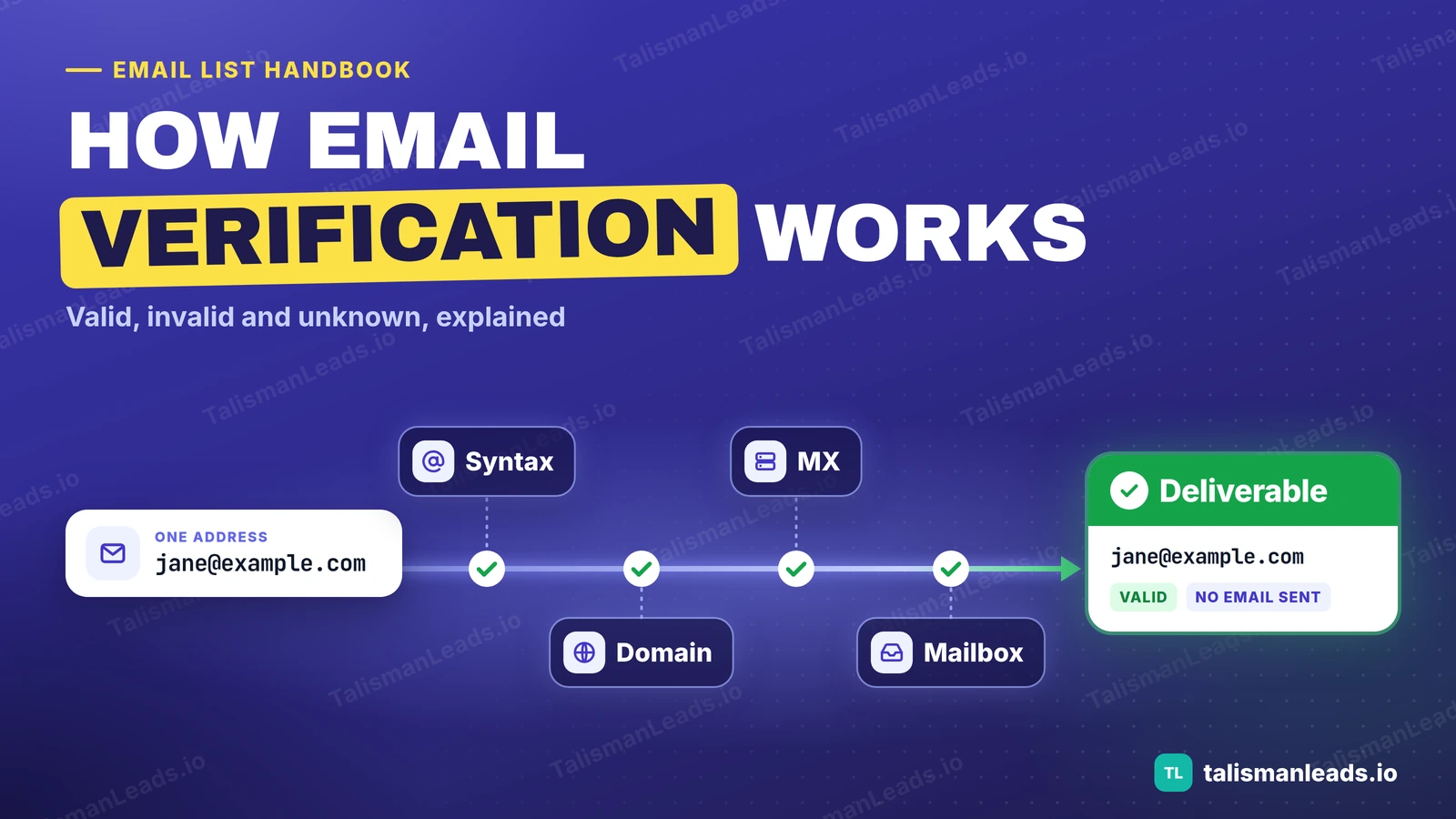
Email verification checks an address in a fixed order without sending it anything: is it written like an address, does its domain exist, does the domain have mail servers, and will those servers accept mail for that mailbox? The last step is a short conversation with the receiving server that stops before a message is sent. The result is valid (the mailbox exists), invalid (it cannot receive mail) or unknown (the server would not say), and each one calls for a different decision.
This guide is for businesses that email their own customers and sign-ups. ("Email verification" also names the confirmation link a sign-up form sends, which proves the person owns the inbox; that is covered in How to Build an SMS and Email List From Scratch. Here it means checking addresses you already have.)
The steps of email verification#
1. Syntax: is it written like an address?#
An address is a local part, an @ and a domain: in jane@example.com, "jane" is the local part and "example.com" the domain. The message format standard, RFC 5322, sets which characters may appear, and the mail transport standard, RFC 5321, sets the limits: at most 64 characters before the @, and at most 256 for the whole address in its angle brackets, which leaves 254 for the address itself.
A syntax check catches the obvious damage: a missing or doubled @, a space, a domain with no ending. It is free and instant, so it comes first.
The standard also says the part before the @ may in principle be case-sensitive, while discouraging any mail system from relying on it. That is why list tools lowercase addresses before they look for duplicates: Jane@example.com and jane@example.com are treated as one person.
2. Domain: does it exist?#
Next the verifier looks the domain up in DNS, the internet's address book. If the domain does not exist at all, nothing can be delivered there and the address is invalid. This is where a mistyped ending such as example.con usually fails.
3. MX records: does the domain take email?#
A domain names the servers that receive its mail in MX records. The verifier reads them to know whom to ask. Two details matter:
- No MX record is not automatically fatal. Under RFC 5321, a domain without MX records is treated as if its own address were its mail server, the "implicit MX".
- A domain can say it takes no mail at all, with a "null MX" record defined in RFC 7505. An address at such a domain is invalid.
4. Mailbox: asking the server without sending#
This is the step that separates verification from a format check. The verifier connects to the domain's mail server and starts the same conversation a real email would: it says hello, gives a sender, and names the recipient with RCPT TO:<jane@example.com>. The server answers with a three-digit code:
- 250: the server will accept mail for this mailbox.
- 550, often with 5.1.1: the mailbox does not exist. Gmail's version reads "The email account that you tried to reach does not exist" (Google's SMTP error list).
- A 4xx code: a temporary refusal. Try again later.
Then the verifier says goodbye. Under RFC 5321, message content is sent only after a separate DATA command, which the verifier never gives. Nobody receives anything.
SMTP also has a command made for this question, VRFY, but sites may switch it off for security, and the standard then tells them to give a reply that means neither yes nor no. So verifiers use the recipient step instead.
Why some answers come back unknown#
The mailbox step depends on a server that owes the verifier nothing. Four things leave it without an answer.
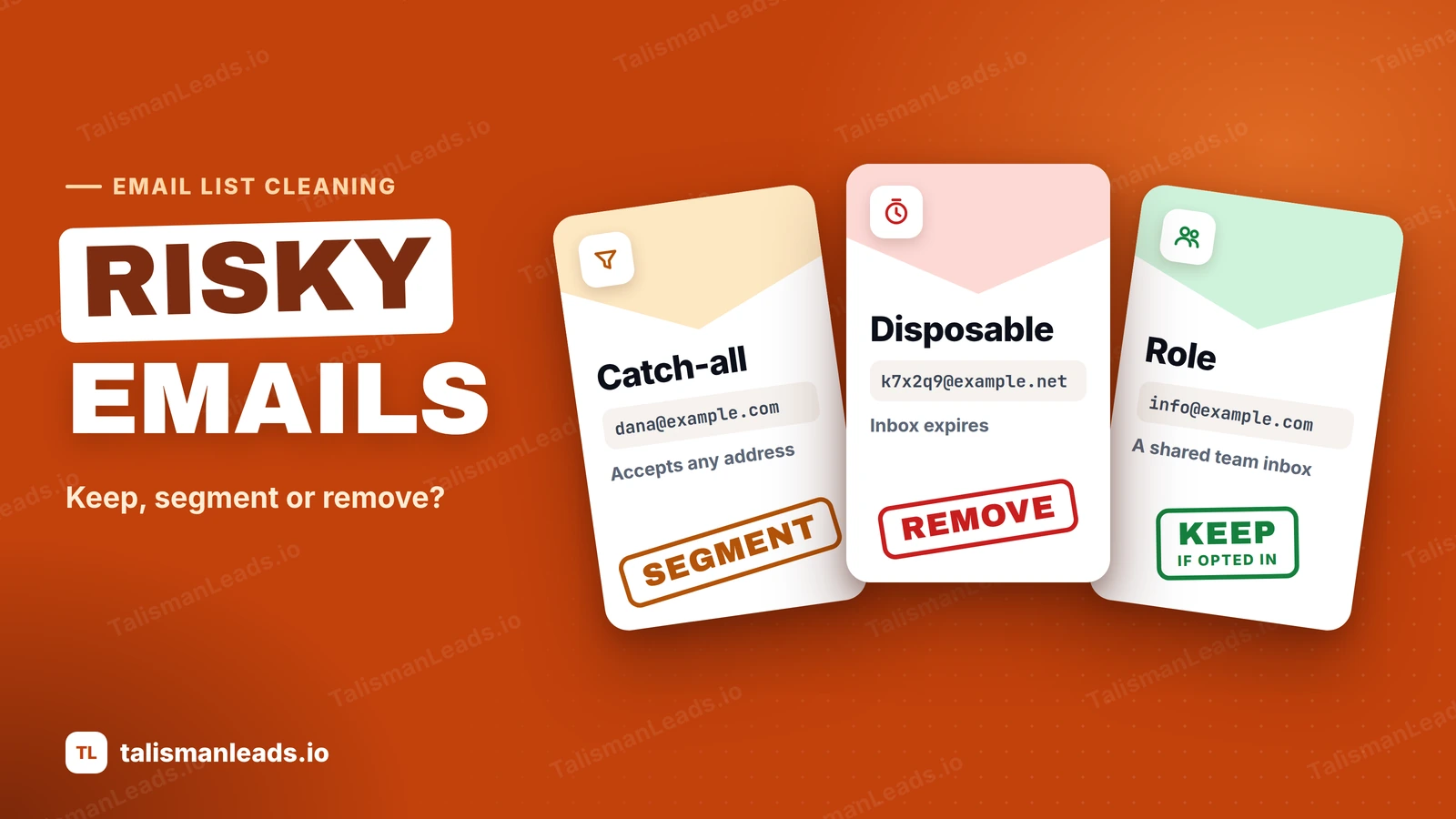
Accept-all servers. Some domains, often company domains, are set to accept mail for any address at the recipient step, real or invented, and sort it out later. RFC 5321 itself notes that when a server decides validity only after the message arrives, the recipient step "may return no information at all". Verifiers spot these domains by asking about an address that cannot exist: if that gets a 250 too, every answer from the domain is a yes that means nothing. What to do with these addresses is covered in Catch-All, Disposable and Role Emails.
Greylisting. Some servers turn away mail from senders they have not seen before with a temporary 4xx code, because real mail servers come back later and, as the standard notes, spam software generally does not. The IETF describes it as "temporarily degraded service to unknown email clients" (RFC 6647). A verifier that asks once gets "try later", not an answer.
Rate limits. Big providers limit how often one stranger may ask. Gmail, for example, answers an unusual rate of mail with "421 4.7.28 … temporarily rate limited" (Google). A verifier that checks a large list too fast, from too few addresses, starts collecting refusals instead of answers.
Timeouts and outages. A slow or unreachable server leaves the question open.
The common thread: unknown means the server did not answer the question, not that the address is bad.
What each result means and what to do#
Valid. The mailbox exists. Keep it, knowing it can still bounce later as mailboxes fill up and accounts close.
Invalid. The domain does not exist, takes no mail, or the server said the mailbox does not exist. Remove it before you send, because each hard bounce is a mark against your sending reputation; How to Clean an Email List Before Your Next Campaign shows where this fits in a full clean. If the address came from a recent sign-up or order, it is often a typo by a real customer: ask them for the right address rather than writing them off.
Unknown. Do not delete these blindly. On a list of your own customers, many are real people at company domains or providers that do not answer strangers. Put them in a segment of their own, send to them in small batches after your main send, and remove the ones that bounce. Check them again later: a greylisting server often answers the second time.
Accept-all, or risky. Some verifiers report these separately. Treat them like unknown: the yes they gave proves nothing about the mailbox.
What verification cannot tell you#
A valid result answers one question: would a server accept mail for this mailbox today. It does not tell you:
- That a person reads it. An abandoned inbox can still exist. Engagement (opens, clicks, replies) is the only evidence someone is there, and long-silent addresses are a risk of their own. Email Deliverability Basics explains how inactivity and spam traps weigh on your reputation.
- That you have permission. As Spamhaus puts it, verification "does nothing to verify the permission of the recipient" (Spamhaus). Consent comes from your own sign-up and opt-in records; see Email Opt-In and Unsubscribe Rules.
- That your mail reaches the inbox. A mailbox that exists can still file you under spam.
- That it will stay true. People switch providers and jobs, so a result ages; Email List Decay covers how often to check again.
How TalismanLeads checks an address#
TalismanLeads splits the steps between a free tool and a paid checker.
Free: the Email Cleaner (the syntax step)#
With a free account, the Email Cleaner in Free Tools takes up to 200,000 addresses, pasted or loaded from a .txt or .csv file, and uses no balance. It checks each line's form (one @, allowed characters before it, a domain of dotted labels with an ending), lowercases, removes duplicates and, if you switch it on, drops role addresses such as info@, sales@ and noreply@. Every removed line is listed with its reason, "Not a valid address", "Duplicate" or "Role address", and can be downloaded as a .csv. It does not look up domains or ask mail servers. Send to Check passes the cleaned list straight to a checker.
Paid: the Email Deliverability Checker (the mailbox step)#
The Email Deliverability Checker answers whether each mailbox exists and can receive mail, for addresses at Gmail, Yahoo, Outlook, iCloud, Yandex and Mail.ru. Addresses at other domains, such as a company's own, are left out and not charged, so it suits the consumer addresses on a customer list rather than a list of company contacts. Nothing is sent to any address.
How our checker labels results#
The result file has two columns, email and activated, with yes or no in the second. On the website a yes reads Registered, meaning the mailbox exists and can receive mail: in the terms above, valid. A no reads Not registered: invalid. Any row with another answer is counted as other and kept in a list of its own instead of being dropped, so nothing disappears silently; treat it as unknown. The summary shows the counts, and each list downloads as a plain text file (registered.txt, unregistered.txt, other.txt) ready for your email platform.
The checker costs $9.00 per 10,000 addresses. Every file is billed as at least 2,000 entries, the exact price shows before anything is charged, and a check that cannot be completed is refunded to your balance. Credits never expire, and businesses can try it on their own list with a $5, 14-day free trial. From code, the same check runs through the API with the checker id email_deliverability_checker.
Frequently asked questions#
Can you verify an email address without sending an email?#
Yes. The verifier asks the receiving server about the mailbox and leaves before the step where a message would be sent. Nobody receives anything and nobody is notified.
What does "unknown" mean in email verification?#
The server did not give a clear answer: it accepts every address, it asked the verifier to try later (greylisting or a rate limit), or it did not respond. It is not a sign the address is bad. Send to these addresses carefully and remove the ones that bounce.
Is email verification 100% accurate?#
No. Accept-all domains, greylisting and rate limits leave some addresses unknown, and a valid mailbox can stop working the next week. Verification removes most dead addresses; it is not a guarantee of delivery.
What is the difference between email verification and email validation?#
The words are used loosely. Validation usually means checking that an address could exist (form, domain, mail servers); verification means asking the server whether the mailbox does exist. A good process does both, validation first.
How much does email verification cost on TalismanLeads?#
The syntax step is free with the Email Cleaner. The mailbox step costs $9.00 per 10,000 addresses with the Email Deliverability Checker; a file of 500 addresses costs $1.80, because every file is billed as at least 2,000.
Start with the free Email Cleaner, then run what is left through the Email Deliverability Checker before your next send.
Was this helpful?