How to Clean an Email List Before Your Next Campaign
To clean an email list, remove duplicates and badly typed addresses, decide what to do with shared inboxes like info@, check which mailboxes actually exist, and drop the addresses that bounced or never engage. Do it before every large send: Gmail, Yahoo and Outlook now judge bulk senders on how their mail is received, and a list full of dead addresses works against you.
This guide is for businesses emailing their own customers and subscribers. It walks through a seven-step checklist, explains what email verification can and cannot tell you, and shows how to do the first steps for free.
Why clean your list before you send#
Mailbox providers now enforce sender rules#
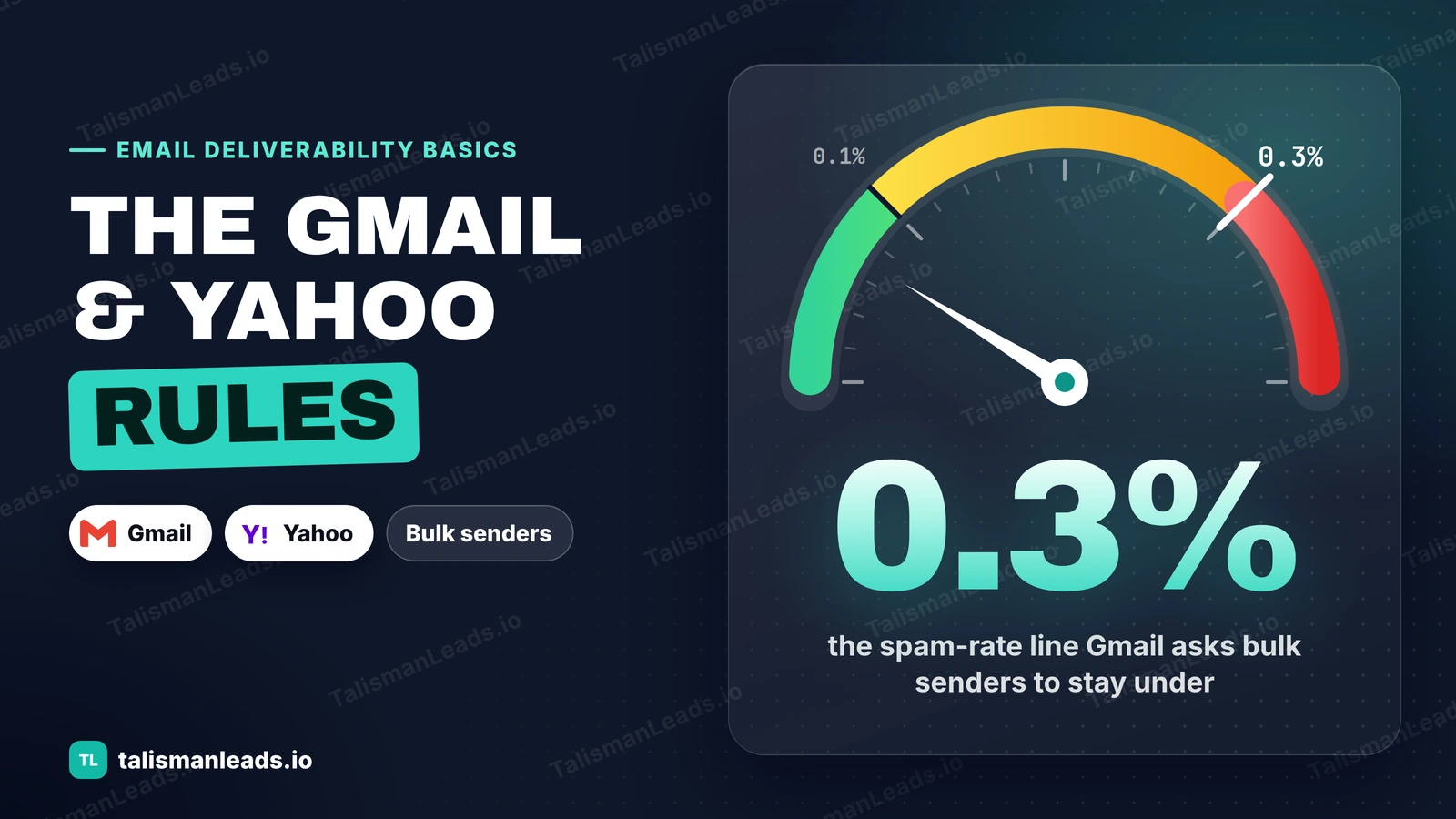
Since February 2024, Gmail and Yahoo have required bulk senders to authenticate their mail with SPF, DKIM and DMARC, offer one-click unsubscribe, and keep their spam complaint rate low. Google's sender guidelines ask senders to stay below 0.10% and never reach 0.30%; Yahoo's also set the line at 0.3%. Gmail counts anyone who sends close to 5,000 messages a day to personal Gmail accounts as a bulk sender, permanently. In 2025 Microsoft added similar rules for Outlook.com for domains sending more than 5,000 emails a day.
The same guidelines spell out list hygiene. Google tells senders to automatically unsubscribe recipients whose messages bounce repeatedly, to confirm addresses before subscribing them, and never to buy addresses. Yahoo asks senders to remove invalid recipients promptly.
Bounces cost you more than one message#
No mailbox provider publishes a bounce-rate limit, but sending platforms watch it. Amazon SES, for example, asks senders to keep their bounce rate below 2%, reviews accounts at 5% and may pause sending at 10%. Many other platforms suppress or flag addresses after a single hard bounce. A dirty list can slow down or stop your sending account before a single complaint arrives.
Hard bounces and soft bounces#
A hard bounce is a permanent failure: the receiving server answers with a 5xx code, such as 550 "user unknown". The address does not exist, and you should not send to it again.
A soft bounce is a temporary failure: a 4xx code for a full mailbox, a busy server or a rate limit. The mail standard (RFC 5321) expects the sender to try again. Industry guidance from M3AAWG is to remove an address only when it keeps failing, for example two bounces in a row over two weeks or more, rather than on the first temporary error.
How to clean an email list: a 7-step checklist#
1. Export the list and remove duplicates#
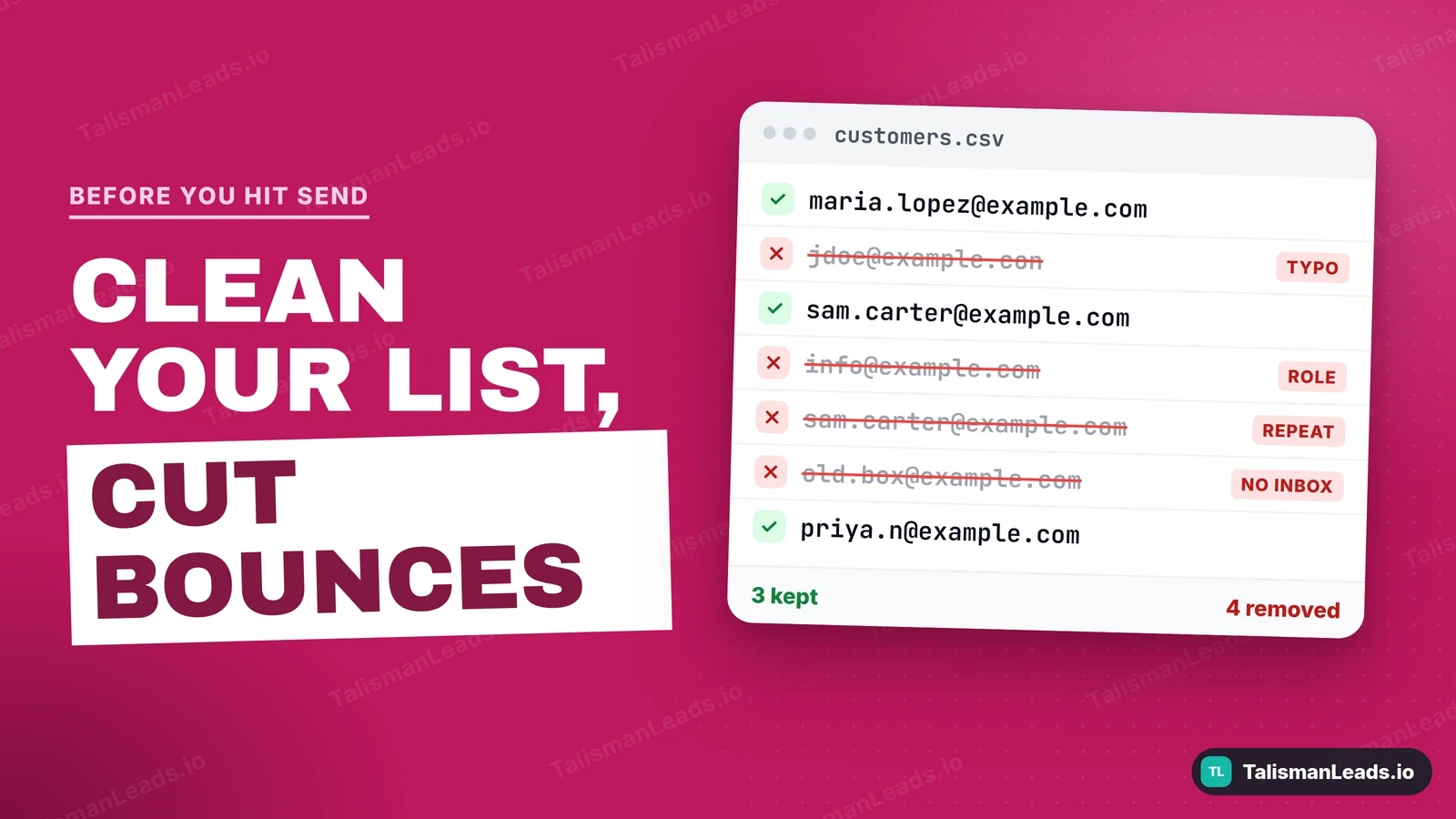
Export every address from your email platform, CRM and sign-up forms into one file, and remove repeats. The same person in two lists gets two copies of every email, which doubles the chance of a complaint. Lowercase the addresses first, so Sam.Carter@example.com and sam.carter@example.com count as one.
2. Remove addresses that cannot be valid#
Some addresses are broken before anyone checks them: a missing @, a space, two dots in a row, or a domain with no ending. Remove them. Look for common typos in domains too, such as example.con instead of example.com: they never reach anyone, and mistyped domains are a known source of spam traps.
3. Decide what to do with role addresses#
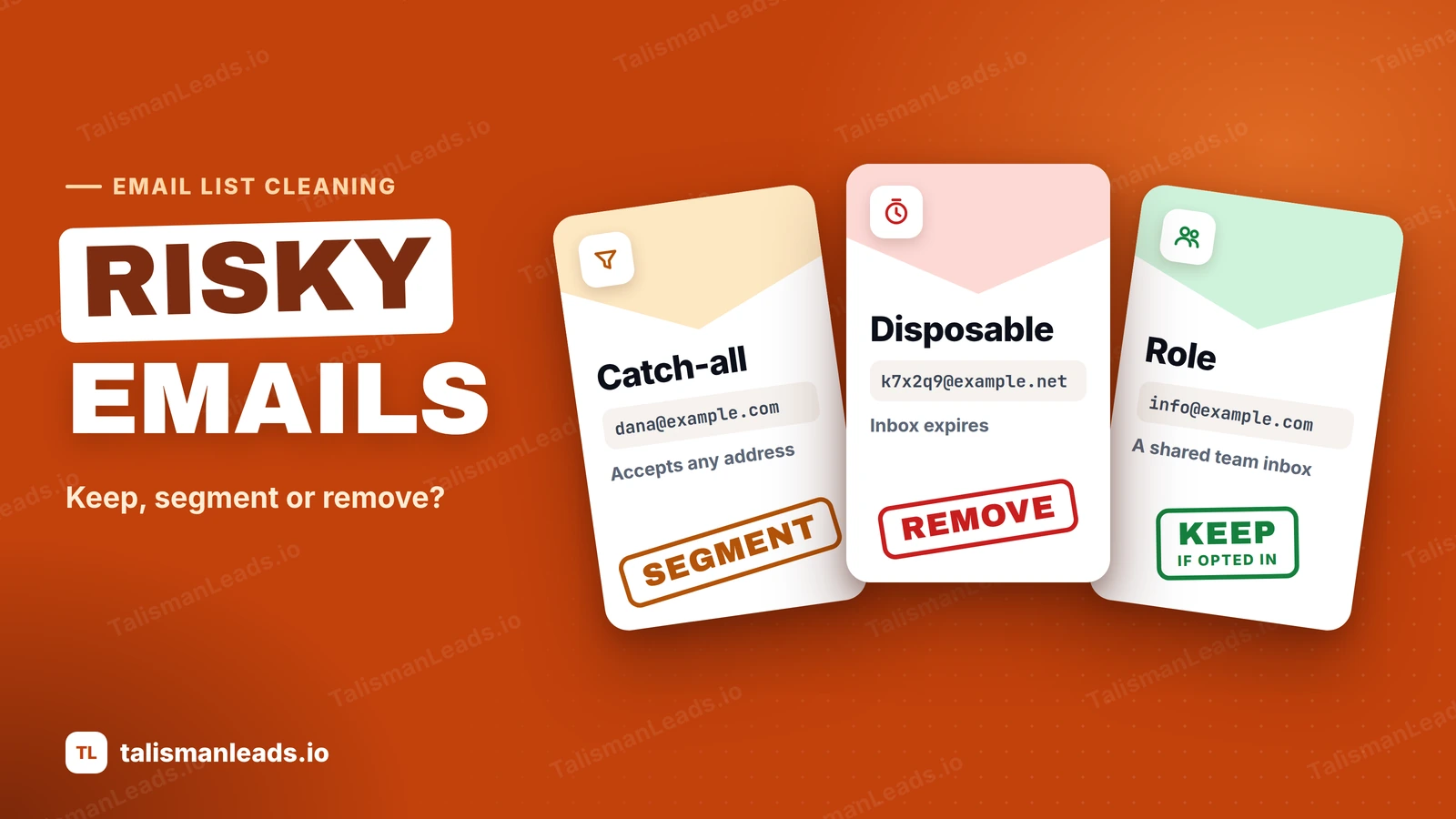
Role addresses such as info@, sales@, support@ and noreply@ belong to a team or a system, not a person. Several sending platforms restrict them, because nobody in particular agreed to your emails and complaints are more likely. On a business-to-business list some are fine. On a consumer newsletter, consider removing them or sending them only transactional mail.
4. Check which mailboxes exist#
This is email verification. A verifier checks the address format, looks up the domain's mail servers, and asks the receiving server whether the mailbox exists, without sending an email. Addresses whose mailbox does not exist come out; the rest stay.
5. Handle "unknown" and catch-all results with care#
Some company domains are set to accept mail for any address, real or not. These are called catch-all or accept-all domains, and no verifier can tell a real mailbox from an invented one on them, so results come back as unknown or risky. On your own customer list, many of these are real buyers. Do not delete them blindly: keep them in a separate segment, send to them gradually, and remove any that bounce.
6. Suppress past hard bounces and repeat soft bounces#
Your sending platform already knows which addresses bounced in earlier campaigns. Make sure every hard bounce is on its suppression list, and that addresses with repeated soft bounces are removed too. Do not re-import them from an old spreadsheet.
7. Re-engage or retire inactive subscribers#
An address that exists but has not opened or clicked in six months or more is still a risk: old, abandoned addresses can be turned into spam traps. Send inactive subscribers a short re-engagement email or two asking whether they want to stay, and remove the ones who do not respond.
Email verification vs validation#
The words are used loosely and have no official definitions. A useful way to think about them:
Validation checks that an address could exist: correct format, a real domain that accepts mail.
Verification checks that the mailbox does exist, by asking the receiving server.
A good cleaning process does both: validation first, because it is free and instant, then verification on what is left.
What email verification cannot do#
Verification removes most dead addresses, but it has limits that vendors rarely mention:
It cannot see spam traps. The worst traps are addresses that never belonged to anyone, and their owners keep them secret. Verification lowers the risk from old, abandoned addresses, nothing more.
It cannot confirm catch-all domains. Their servers say yes to every address.
It cannot prove consent. A mailbox that exists may still belong to someone who never asked for your emails. As Spamhaus points out, verifying an address says nothing about permission: confirmed opt-in does.
Some providers are hard to check. Servers that delay unknown senders on purpose, or answer every check the same way, leave some results uncertain.
How to clean your list on TalismanLeads#
Free: the Email Cleaner#
With a free TalismanLeads account, the Email Cleaner handles steps 1 to 3 without using any balance:
Paste up to 200,000 addresses, or load a .txt or .csv file.
Keep Lowercase and Remove duplicates on, and switch on Drop role addresses if you want info@, sales@, noreply@ and similar removed.
Press Clean the list. You see what was kept, what was removed and why (not a valid address, duplicate or role address), and you can download the cleaned list.
Press Send to Check to pass the cleaned list straight to a checker.
Paid: the Email Deliverability Checker#
The Email Deliverability Checker handles step 4 for the big personal mailbox providers: it finds out whether each mailbox exists and can receive mail across Gmail, Yahoo, Outlook, iCloud, Yandex and Mail.ru. Addresses at other domains, such as a company's own domain, are left out of the check and not charged, so use it for the consumer addresses that fill most B2C lists.
It costs $9.00 per 10,000 addresses, with every file billed as at least 2,000. The exact price shows before anything is charged, a check that cannot be completed is refunded to your balance, top-ups start at $5, and credit never expires. Businesses can test it on their own list with a $5, 14-day free trial.
How often should you clean your email list?#
Clean it before every large campaign, and at least every few months if you send regularly. Lists go stale as people change jobs, abandon old accounts and switch providers. There is no independent figure for how fast; one verification vendor reports that roughly a quarter of the addresses it sees go bad each year. Clean new sign-ups as they arrive, too: a confirmation email (double opt-in) stops typos and fake addresses before they reach your list.
Frequently asked questions#
What is a good email bounce rate?#
As low as you can get it. Mailbox providers publish no bounce limit, but sending platforms do act on it: Amazon SES, for example, asks for under 2% and reviews accounts at 5%. If a campaign bounces at more than a few percent, clean the list before the next one.
Can you verify an email address without sending an email?#
Yes. A verifier asks the receiving mail server whether the mailbox exists and stops before any message is sent. Nobody receives anything. Catch-all domains and some providers leave the answer uncertain.
Should I remove catch-all email addresses?#
Not automatically. On a list of your own customers, many catch-all addresses are real people at companies. Segment them, send to them gradually, and remove the ones that bounce or never engage.
Should I delete inactive subscribers?#
Try to win them back first with one or two re-engagement emails. Remove the ones who still do not open or click: old inactive addresses carry spam-trap risk and drag down engagement.
Does cleaning my list make it legal to email?#
No. Cleaning removes addresses that cannot receive mail; it does not create permission. In the US, the CAN-SPAM Act also requires a working opt-out, honored within 10 business days, and a valid postal address in every commercial email (FTC guide). This is not legal advice: check the rules that apply to you with your own lawyer.
Can I clean an email list for free?#
Yes, the first part. The free Email Cleaner on TalismanLeads removes duplicates, invalid addresses and, if you choose, role addresses from up to 200,000 addresses at a time. Checking whether each mailbox exists is the paid step.
Start with the free Email Cleaner, then check the mailboxes that are left before your next send.
Was this helpful?