Bulk Phone Number Lookup API: Python, Node.js and cURL Guide
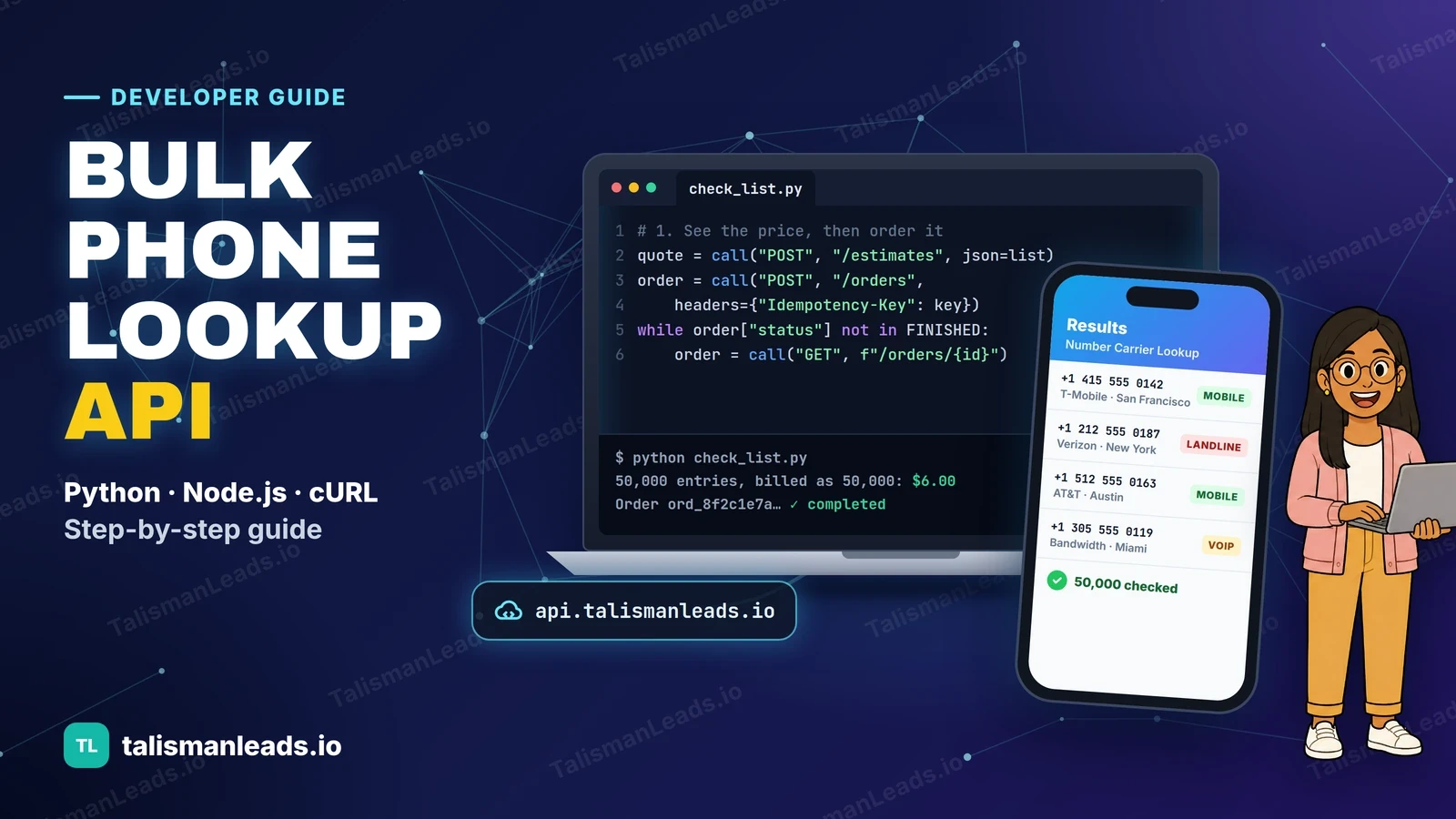
A bulk phone number lookup through an API is a short job: send your whole list as one order, wait for it to finish, and download one results file. On TalismanLeads that is four calls: see the price, place the order, follow its status, get the result. This guide walks through each with cURL, then gives complete scripts in Python and Node.js that wait out rate limits, timeouts and restarts without ever paying twice.
The examples use the Number Carrier Lookup, which returns each number's line type, carrier and location. The same code runs any checker on the site by changing one id.
Before you start#
- An API key. Create one on the API Keys page (
/api-keys) of your TalismanLeads account, up to five. Making a key needs an account that signs in with email or Google; an older Telegram-only sign-in cannot make one. A key is a secret like a password: keep it on your server, in an environment variable, never in your code or your repository (API key security covers storing and rotating it). A key made before November 8, 2026 may be read only: estimates, orders and uploads refuse it withmissing_scope. - A balance. Every order is paid from your prepaid balance at the same prices as the website. Top-ups start at $5, and businesses can try the API with a $5, 14-day free trial. Trial credit is spent first, and trial accounts have lower rate limits until their first top-up.
- Numbers in E.164 format: a plus sign, the country code and the number, with no spaces or brackets. (415) 555-0142 in the US becomes +14155550142. E.164 numbers are at most 15 digits long.
- One country per list. Put numbers from one country in each order: at least 90% of a list must share a country, so split a mixed list by country first.
Every file is billed as at least 2,000 entries, so a tiny test still costs the 2,000-entry minimum. On the Number Carrier Lookup at $1.20 per 10,000, that is $0.24. A checker can have a higher minimum, and some need a smallest number of entries in a file: GET /checkers gives each one's minimum_billed_entries and minimum_entries.
How a bulk lookup job works#
Some lookup APIs take one number per request, so a big list means thousands of calls and your own rate-limit juggling. Others run asynchronous jobs: you send the list once, the provider works through it, and you collect the results when it is done (how an asynchronous verification job works explains the pattern). TalismanLeads works the second way:
- Estimate:
POST /estimatescounts the entries and prices the order. Nothing is charged. - Order:
POST /orderscharges your balance and queues the work. - Status:
GET /orders/{id}tells you when it has finished. - Results:
GET /orders/{id}/resultsgives a download link for each part of the result.
Up to 100,000 entries (4 MB) go straight into the request. Larger lists, up to 10,000,000 entries or 200 MB, are uploaded as a file first; see "Lists over 100,000 numbers" below.
Step 1: Choose a checker and see the price#
GET /checkers lists every checker your account can order, with its id and your price. This guide uses global_carrier_checker. Ask for an estimate before you order:
curl -X POST "https://api.talismanleads.io/v1/estimates" \
  -H "Authorization: Bearer $TALISMANLEADS_API_KEY" \
  -H "Content-Type: application/json" \
  -d '{"checker":"global_carrier_checker","entries":["+14155550142","+12125550187"]}'
The answer gives entries (what you sent), billed_entries (at least the checker's minimum) and charge, the price in dollars as a string such as "0.24". It also gives trial_amount, the part of the charge your trial credit would pay, parts, how many parts the order would run in, and country, the list's main country as a code and its share of the list.
Step 2: Place the order with an Idempotency-Key#
curl -X POST "https://api.talismanleads.io/v1/orders" \
  -H "Authorization: Bearer $TALISMANLEADS_API_KEY" \
  -H "Idempotency-Key: 3f0c9a52-8e7b-4d1e-9c55-2a6b1f04d7e8" \
  -H "Content-Type: application/json" \
  -d '{"checker":"global_carrier_checker","entries":["+14155550142","+12125550187"],"expected_charge":"0.24"}'
Two fields protect your money:
- Idempotency-Key is required: up to 200 visible ASCII characters, with no spaces (a UUID works). Make a new one for each new order and save it with your own record of the order before you send it. If a request times out and you send it again with the same key, you get the same order back and are never charged twice. A new key is a new order. A key is remembered for 7 days from when it was first sent; after that, the same key places a new order. The idea follows a draft IETF standard that many payment APIs use, and idempotency keys explained goes through it in depth.
- expected_charge is optional. With it, the order is refused with
price_changedif it would cost anything other than the estimate.
The answer is 201 Created with the order's id, its status (queued), its charge and its trial_amount. A large list can take up to five minutes to read, so give this request a long timeout.
Step 3: Follow the order's status#
curl "https://api.talismanleads.io/v1/orders/ord_8f2c1e7a-3b4d-4c5e-9f60-1a2b3c4d5e6f" \
  -H "Authorization: Bearer $TALISMANLEADS_API_KEY"
Ask every 30 seconds or more. The status is one of:
queuedandprocessing: still running.completed: finished, every part done.partially_completed: finished, some parts failed; those parts are refunded automatically, andrefundedshows how much came back.failed: nothing could be done; the charge is refunded.
More statuses may be added later, so treat any status you do not recognise as still running.
Step 4: Download the results#
curl "https://api.talismanleads.io/v1/orders/ord_8f2c1e7a-3b4d-4c5e-9f60-1a2b3c4d5e6f/results" \
  -H "Authorization: Bearer $TALISMANLEADS_API_KEY"
You get a download link for each part, valid for 15 minutes; ask again for a fresh link at any time, as results are kept. A file is usually a zip holding all.csv, a spreadsheet and text lists, or a single CSV. Two rules:
- Do not send your API key to the download link. It carries its own permission.
- Read columns by name, not position. New columns can be added.
Rate limits and safe retries#
The limits are per account, per minute, and TalismanLeads sets them, so they can change. At the time of writing they are 60 reads, 30 result downloads, 10 estimates, 10 uploads and 10 new orders, with up to 20 order parts running at once; GET /account returns the limits that apply to you. An answer may carry RateLimit-Limit, RateLimit-Remaining and RateLimit-Reset headers, but they can be absent (on a repeated order, for example), so never write code that requires them.
Go over and you get 429 rate_limited with a Retry-After header: the number of seconds to wait. The request did nothing and charged nothing. Wait, then send it again, with the same Idempotency-Key if it was an order. The HTTP standard also allows Retry-After to be a date (RFC 9110), so code that reads it should fall back to a sensible pause if it is not a number. API rate limits and 429 errors covers backing off in more detail.
When an order's answer is lost (a timeout, a dropped connection, a gateway's 502 or 504 page, or the error code order_status_unknown, internal_error or service_unavailable), you do not know whether it was placed. Repeat the same request with the same key to find out: it never charges twice. api_disabled and quote_expired ask for the same: wait, then repeat with the same key. Never make a new key because a request failed; that is a new order. Wait a minute between repeats, and if the answer is still unknown after a few minutes, contact support with the request_id.
Every error has the same shape: an error object with a code that never changes, a message for people, a request_id and a docs_url that links to the code's explanation. Every answer, error or not, also carries its id in a Request-Id header. Act on the code; verification API errors goes through what each one means.
Complete script in Python#
Save your numbers in customers.txt, one per line in E.164 format, set TALISMANLEADS_API_KEY, and run it. It needs the requests package. Before it places the order, it saves the order's key and price in customers.txt.order-key. If the script is stopped, or the connection drops, run it again within 7 days: it sends the same order with the same key and picks up where it left off, never paying twice. The file is removed once the results are saved.
import os
import time
import uuid

import requests

API = os.environ.get("TALISMANLEADS_API_URL", "https://api.talismanleads.io/v1")
AUTH = {"Authorization": f"Bearer {os.environ['TALISMANLEADS_API_KEY']}"}
FINISHED = {"completed", "partially_completed", "failed"}
# Codes that mean "send the same request again": for an order, with the same key.
REPEAT = {"order_status_unknown", "internal_error", "service_unavailable",
          "api_disabled", "quote_expired"}


def call(method, path, json=None, headers=None):
    """Send one API request, waiting and repeating it when it may not have arrived."""
    for _ in range(10):
        try:
            r = requests.request(method, API + path, json=json,
                                 headers={**AUTH, **(headers or {})}, timeout=330)
        except requests.exceptions.RequestException:
            time.sleep(60)  # a timeout or a dropped connection: the order may be placed
            continue
        try:
            body = r.json()
        except ValueError:
            body = None  # a gateway's 502 or 504 is not JSON
        if r.ok:
            return body
        if r.status_code == 429:
            wait = r.headers.get("Retry-After", "")
            time.sleep(int(wait) if wait.isdigit() else 30)  # seconds; anything else, 30
            continue
        error = (body or {}).get("error", {})
        if body is None or error.get("code") in REPEAT:
            time.sleep(60)  # same request, same Idempotency-Key: never charged twice
            continue
        raise RuntimeError(f"{error.get('code')}: {error.get('message')} "
                           f"(request {error.get('request_id')})")
    raise RuntimeError(f"No answer from {path} after repeated tries")


def check_list(path, checker):
    with open(path) as f:
        numbers = [line.strip() for line in f if line.strip()]

    # 1. See the price and make this order's key, once. Both are saved before
    #    the order is sent, so a run that is stopped and started again sends
    #    the same order with the same key, and is never charged twice.
    saved = path + ".order-key"
    if os.path.exists(saved):
        with open(saved) as f:
            key, charge = f.read().split()
    else:
        quote = call("POST", "/estimates", json={"checker": checker, "entries": numbers})
        print(f"{quote['entries']} entries, billed as {quote['billed_entries']}: "
              f"${quote['charge']}")
        key, charge = str(uuid.uuid4()), quote["charge"]
        with open(saved, "w") as f:
            f.write(f"{key} {charge}\n")

    # 2. Place the order at that price.
    order = call("POST", "/orders",
                 json={"checker": checker, "entries": numbers, "expected_charge": charge},
                 headers={"Idempotency-Key": key})
    print("Order", order["id"], order["status"])

    # 3. Follow it until it finishes. A status you do not know means still running.
    while order["status"] not in FINISHED:
        time.sleep(30)
        order = call("GET", f"/orders/{order['id']}")
    if order["status"] == "failed":
        raise RuntimeError(f"Order failed; ${order['refunded']} refunded")

    # 4. Download each part. The links carry their own permission:
    #    do not send your API key to them.
    results = call("GET", f"/orders/{order['id']}/results")
    for part in results["parts"]:
        if not part.get("url"):
            continue
        name = f"part{part['part']}-{part['file_name']}"
        file = requests.get(part["url"], timeout=300)
        file.raise_for_status()
        with open(name, "wb") as out:
            out.write(file.content)
        print("Saved", name)

    # Done: the next run of this list is a new order, with a new key.
    os.remove(saved)


if __name__ == "__main__":
    check_list("customers.txt", "global_carrier_checker")
Complete script in Node.js#
The same flow, with the same saved key, for Node.js 18 or later, which has fetch built in. Save it as check_list.mjs.
import { randomUUID } from "node:crypto";
import { readFile, rm, writeFile } from "node:fs/promises";

const API = process.env.TALISMANLEADS_API_URL ?? "https://api.talismanleads.io/v1";
const AUTH = { Authorization: `Bearer ${process.env.TALISMANLEADS_API_KEY}` };
const FINISHED = new Set(["completed", "partially_completed", "failed"]);
// Codes that mean "send the same request again": for an order, with the same key.
const REPEAT = new Set(["order_status_unknown", "internal_error", "service_unavailable", "api_disabled", "quote_expired"]);
const sleep = (seconds) => new Promise((done) => setTimeout(done, seconds * 1000));

// Send one API request, waiting and repeating it when it may not have arrived.
async function call(method, path, { json, headers } = {}) {
  for (let tries = 0; tries < 10; tries++) {
    let r;
    try {
      r = await fetch(API + path, {
        method,
        headers: { ...AUTH, ...(json ? { "Content-Type": "application/json" } : {}), ...headers },
        body: json ? JSON.stringify(json) : undefined,
        signal: AbortSignal.timeout(330_000),
      });
    } catch {
      await sleep(60); // a timeout or a dropped connection: the order may be placed
      continue;
    }
    const body = await r.json().catch(() => null); // a gateway's 502 or 504 is not JSON
    if (r.ok) return body;
    if (r.status === 429) {
      await sleep(Number(r.headers.get("Retry-After")) || 30); // seconds; anything else, 30
      continue;
    }
    const error = body?.error ?? {};
    if (!body || REPEAT.has(error.code)) {
      await sleep(60); // same request, same Idempotency-Key: never charged twice
      continue;
    }
    throw new Error(`${error.code}: ${error.message} (request ${error.request_id})`);
  }
  throw new Error(`No answer from ${path} after repeated tries`);
}

async function checkList(path, checker) {
  const numbers = (await readFile(path, "utf8")).split("\n").map((l) => l.trim()).filter(Boolean);

  // 1. See the price and make this order's key, once. Both are saved before
  //    the order is sent, so a run that is stopped and started again sends
  //    the same order with the same key, and is never charged twice.
  const saved = `${path}.order-key`;
  const kept = await readFile(saved, "utf8").catch((e) => (e.code === "ENOENT" ? null : Promise.reject(e)));
  let key, charge;
  if (kept) {
    [key, charge] = kept.trim().split(" ");
  } else {
    const quote = await call("POST", "/estimates", { json: { checker, entries: numbers } });
    console.log(`${quote.entries} entries, billed as ${quote.billed_entries}: $${quote.charge}`);
    [key, charge] = [randomUUID(), quote.charge];
    await writeFile(saved, `${key} ${charge}\n`);
  }

  // 2. Place the order at that price.
  let order = await call("POST", "/orders", {
    json: { checker, entries: numbers, expected_charge: charge },
    headers: { "Idempotency-Key": key },
  });
  console.log("Order", order.id, order.status);

  // 3. Follow it until it finishes. A status you do not know means still running.
  while (!FINISHED.has(order.status)) {
    await sleep(30);
    order = await call("GET", `/orders/${order.id}`);
  }
  if (order.status === "failed") throw new Error(`Order failed; $${order.refunded} refunded`);

  // 4. Download each part. The links carry their own permission:
  //    do not send your API key to them.
  const results = await call("GET", `/orders/${order.id}/results`);
  for (const part of results.parts) {
    if (!part.url) continue;
    const name = `part${part.part}-${part.file_name}`;
    const file = await fetch(part.url, { signal: AbortSignal.timeout(300_000) });
    if (!file.ok) throw new Error(`Download of ${name} failed: ${file.status}`);
    await writeFile(name, Buffer.from(await file.arrayBuffer()));
    console.log("Saved", name);
  }

  // Done: the next run of this list is a new order, with a new key.
  await rm(saved);
}

await checkList("customers.txt", "global_carrier_checker");
We tested both scripts against a stand-in for the API that placed the order and then dropped the connection, answered the repeats with a gateway's 502 page, a rate limit and order_status_unknown, and only then returned the order; a second run tried internal_error, service_unavailable, api_disabled and quote_expired. Each script waited as told and sent the same key every time, so one order was placed. We also stopped each script just after its order went in and started it again: it read the saved key and got the same order back. Neither sent the API key to the download link.
Lists over 100,000 numbers#
For a bigger list, upload it as a file first:
POST /uploadswith the file's name and size returns anupload_urland anupload_id. The link lasts two hours.- Send the file to that link with
PUTandContent-Type: text/plain, without your API key. - Send
upload_idin place ofentries, toPOST /estimatesfor the price and then toPOST /orders.
A file is a .txt with one entry per line, up to 10,000,000 entries or 200 MB. An uploaded file waits 24 hours for its order, then it is removed. You can have 20 files or 100 MB waiting at once and make 500 uploads a day; past that, POST /uploads answers too_many_uploads. A large order is split into parts of up to 1,000,000 entries behind the scenes, but it keeps one status and one total.
Which checkers you can run#
The script works for every checker; change the id in the last line. Some examples and their standard prices:
global_carrier_checker(Number Carrier Lookup): line type, carrier and location of each number, $1.20 per 10,000.email_deliverability_checker(Email Deliverability Checker): whether each mailbox exists at Gmail, Yahoo, Outlook, iCloud, Yandex and Mail.ru, $9.00 per 10,000.whatsapp_status_detection(WhatsApp Number Checker): which numbers are registered on WhatsApp, $0.69 per 10,000.
Use these on your own customers' data. For WhatsApp in particular, WhatsApp's Business Policy lets a business message only people who gave it their number and opted in, so a registration check is for numbers your customers gave you, not for finding new people to message.
What a lookup result does and does not tell you#
- Valid is not the same as in use. A lookup from numbering-plan data says a number can exist and which carrier was given its block. It does not prove the line is switched on or still belongs to your customer.
- A moved number may show its original carrier. People keep their number when they change carriers; range-based data can still show the first one.
- A result is not consent. Store each result with the date you checked it, check again before large campaigns, and keep your consent records separately.
Frequently asked questions#
Is there a batch endpoint, or do I send one number per request?#
One order takes the whole list: up to 100,000 entries in the request, or up to 10,000,000 as an uploaded file. You never loop one number per call.
How do I retry without being charged twice?#
Make each order's Idempotency-Key once, save it before you send the order, and repeat a failed or timed-out order with that same key within 7 days. The API returns the original order instead of placing a new one.
What format should phone numbers be in?#
E.164: a plus sign, the country code and the number, such as +14155550142. Put numbers from one country in each list.
What happens when I hit the rate limit?#
You get a 429 answer with a Retry-After header in seconds. Nothing was done or charged; wait that long and send the same request again.
Can I call the API from a web page?#
No. The API does not allow calls from a web page: it sends no CORS headers, so a browser will not let a page read its answers. A key in a web page would be visible to anyone. Call the API from your server.
How much does a lookup cost?#
The same as on the website, per 10,000 entries, with every order billed as at least 2,000 (or the checker's minimum_billed_entries, if higher). Trial credit is spent first. The Number Carrier Lookup is $1.20 per 10,000 numbers. POST /estimates shows the exact price before you order, free.
The full reference, with every endpoint and error code, is in the API documentation. Create your key on the API Keys page and run your first estimate in a minute.
Was this helpful?