API Key Security: Creating, Storing and Rotating Your Keys
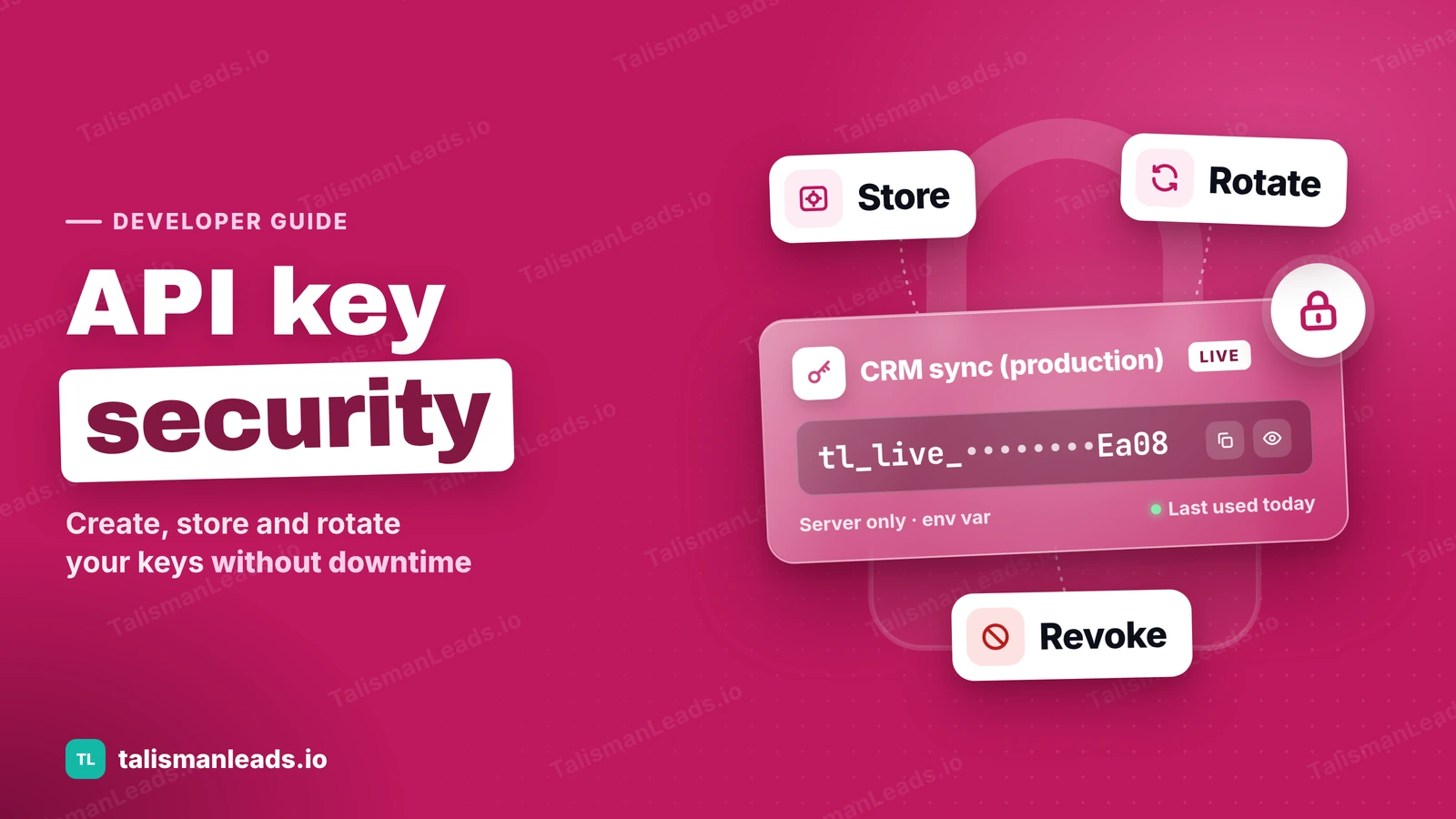
To store an API key securely, keep it on your server only: in an environment variable or, better, a secrets manager, never in your code, your git history, a web page or a mobile app. Give each system its own key so you can revoke one without stopping the rest, and rotate without downtime by making the new key, deploying it, and only then revoking the old one. If a key leaks, revoke it at once.
This guide shows how that works with TalismanLeads API keys; the same habits apply to any paid API.
What an API key can do#
A TalismanLeads key is tl_live_ followed by 43 random characters. Whoever sends it is treated as you, and a key made today can do everything the API offers:
- Spend your balance.
POST /orderscharges your prepaid balance, and any trial credit, for each check. A key cannot add money, so the most a stolen key can spend is what is in the account. - Read your customers' data.
GET /orders/{id}/resultshands out download links to your results: the phone numbers and email addresses you checked, with their answers. For many businesses that is the bigger risk. - Upload lists with
POST /uploads, and see your balance, checkers and orders.
Some keys made before November 8, 2026 are read only, expire or work only from set IP addresses; new keys have none of these limits. Treat every key as a password to the account's money and its customer data.
Creating and managing keys on the API Keys page#
Keys live on API Keys in your account (/api-keys, Keys in the signed-in bar):
- Create API key makes a key in one click, named "new API Key". Use Edit to name it after where it runs, such as "CRM sync (production)"; the key itself does not change.
- Up to five keys. A key blocked by our team still counts, and only our team can lift the block.
- Copy and Show at any time. Unlike many APIs, a key is not shown only once: we keep an encrypted copy, so while you are signed in you can copy it again or show it for 30 seconds. The list masks each key as
tl_live_Zhx3••••••••Ea08. Keys made before November 8, 2026 cannot be copied again. - Last used shows the day each key last made a call.
- Revoke stops a key straight away. It cannot be undone, and orders already placed with it keep running.
No second password is asked for: any session signed in with email or Google can make or copy a key, so your sign-in is part of key security. Sign out on shared computers, and watch the bell in the site header: a new key posts an API key created notice, and copying or showing one posts API key viewed. A notice you do not recognise means: revoke that key and change your password.
Sending the key with a request#
Send the key in the Authorization header as Bearer followed by the key, or in an X-API-Key header; both work the same. Read it from an environment variable, never paste it into code. GET /v1/account is a safe test call: it charges nothing and returns your balance, your limits and the id of the key used.
export TALISMANLEADS_API_KEY="tl_live_..."   # better: load it from your secrets manager

curl https://api.talismanleads.io/v1/account \
  -H "Authorization: Bearer $TALISMANLEADS_API_KEY"

# The same call with the other header
curl https://api.talismanleads.io/v1/account \
  -H "X-API-Key: $TALISMANLEADS_API_KEY"
In Python with requests:
import os

import requests

key = os.environ["TALISMANLEADS_API_KEY"]  # fails loudly if it is missing
r = requests.get("https://api.talismanleads.io/v1/account",
                 headers={"Authorization": f"Bearer {key}"}, timeout=30)
r.raise_for_status()
print(r.json()["balance"])
In Node.js 18 or later:
const key = process.env.TALISMANLEADS_API_KEY;
if (!key) throw new Error("Set TALISMANLEADS_API_KEY");

const r = await fetch("https://api.talismanleads.io/v1/account", {
  headers: { Authorization: `Bearer ${key}` },
});
if (!r.ok) throw new Error(`API answered ${r.status}`);
console.log((await r.json()).balance);
A wrong key answers 401 invalid_key, a revoked one 401 revoked_key and a blocked one 403 key_blocked (see Verification API Errors: What Each Code Means and What to Do). Send the key only to the API: upload and download links carry their own permission.
Why a key never goes in a web page or a mobile app#
Anything you ship to a browser or a phone can be read by whoever has it: a key in front-end JavaScript is one click away in the developer tools, and a key in a mobile app can be pulled out of the download.
The TalismanLeads API refuses browser calls anyway. It sends no CORS headers: before a cross-site request with an Authorization header, a browser asks the server for permission (the preflight), the API grants none, and the real request is never sent. Mobile and desktop apps do not apply CORS, though, so there the call would work and the key would ship with the app.
The fix is the same: your page or app calls your own server, which checks the user, applies its own limits and calls the API with the key it keeps.
Where to store an API key#
- Environment variables are the minimum: set
TALISMANLEADS_API_KEYin your host's or CI's secrets settings, or in a local.envfile that git never sees. The OWASP Secrets Management Cheat Sheet warns that environment variables can reach other processes, logs and crash dumps, so never print the environment. - A secrets manager is better for production (AWS Secrets Manager, Google Cloud Secret Manager, Azure Key Vault, HashiCorp Vault): the key is encrypted, access is logged, and swapping it is one change in one place.
- Never in code, a committed config file, a ticket or a chat message. To share a key with a colleague, give them access to the secrets manager.
Keep keys out of git#
Ignore local secret files before the first commit:
# Local secrets: never committed
.env
.env.*
!.env.example
Commit a .env.example with TALISMANLEADS_API_KEY= and no value. Then let a scanner catch mistakes: our keys have a fixed prefix and length precisely so one can be recognised. With gitleaks, add a rule to .gitleaks.toml and run it as a pre-commit hook:
[extend]
useDefault = true

[[rules]]
id = "talismanleads-api-key"
description = "TalismanLeads API key"
regex = '''tl_live_[A-Za-z0-9_-]{43}'''
keywords = ["tl_live_"]
On GitHub, the same regex can be a custom secret scanning pattern with push protection, which blocks a push containing a key (it needs GitHub Secret Protection). Worth the five minutes: GitGuardian's State of Secrets Sprawl 2026 detected about 29 million secrets in public GitHub commits in 2025, and found 64% of valid secrets from 2022 still not revoked in 2026.
One key per system#
Make a key for each system that calls the API (the CRM sync, the sign-up check, the nightly re-check, a contractor's test) and name it after that system. A leak in one is then fixed by revoking one key while the others keep running, Last used shows which systems are still active, and a contractor's key goes when their work ends.
Keep one of your five slots free for rotation. More keys do not raise your rate limits, which count per account across all keys (see API Rate Limits and 429 Errors: Backing Off With Retry-After).
How to rotate an API key without downtime#
Two keys can work at once, so a rotation needs no gap:
- Create the new key on API Keys and name it ("CRM sync, from Dec 2026"). At five keys, revoke one you no longer use first.
- Store it where the old one is (secrets manager or environment variable) and test it with
GET /v1/account. - Deploy or restart every server of that system: most programs read environment variables only at startup.
- Confirm the switch. The new key's Last used shows today and your logs show no
401errors. Once the old key's Last used date stops moving, nothing uses it. - Revoke the old key. Orders it placed keep running.
Rotate when someone with access leaves, after any chance the key was seen, and on a schedule, for example every 90 days (OWASP advises regular rotation so a stolen key works only briefly). Orders and Idempotency-Keys belong to the account, not the key, so an order retried with the new key after the switch finds the original and is not charged twice (Idempotency Keys: How to Retry an API Request Without Paying Twice).
What to do if an API key leaks#
A key pasted into a public repository, a screenshot, a ticket or a front-end bundle has leaked, even if it was deleted a minute later.
- Revoke it now on API Keys. It stops working at once. A short outage of one system beats a leaked key that still works.
- Make a new key and roll it out as in a rotation.
- Check what was done with it. On Tasks, orders placed through the API carry an API badge: look for any your systems did not place, and compare Charging History with your records. Contact support about any you find.
- Remove it from where it leaked. A revoked key is useless, so rewriting git history is optional; GitHub's guide also puts revoking first.
- If a key appeared that nobody made, the account itself may be open: change your password, revoke every key, make new ones and tell support.
Frequently asked questions#
Can I see my API key again after creating it?#
Yes. On API Keys, Copy puts it on your clipboard and Show displays it for 30 seconds. Keys made before November 8, 2026 cannot be shown again: make a new key and revoke the old one.
How many API keys can I have?#
Five per account, including any key our team has blocked. Revoke a key you no longer use to free a place.
Is it safe to store an API key in an environment variable?#
Yes, as a minimum: set it on the server, never commit the .env file and never print the environment in logs. For production, a secrets manager is better.
Can I call the API from JavaScript in the browser?#
No. The API sends no CORS headers, so browsers refuse the call, and a key in a page could be read by anyone. Call it from your server.
Does revoking a key cancel my orders?#
No. Orders already placed keep running, and any other key on the account can follow and download them.
How often should I rotate API keys?#
On a regular schedule (every 90 days, for example), whenever someone with access leaves, and at once after any chance the key was seen.
The API documentation's authentication guide sums up the same rules, and Phone and Email Verification APIs: When to Use One Instead of a File Upload explains when the API is the right tool.
Was this helpful?